



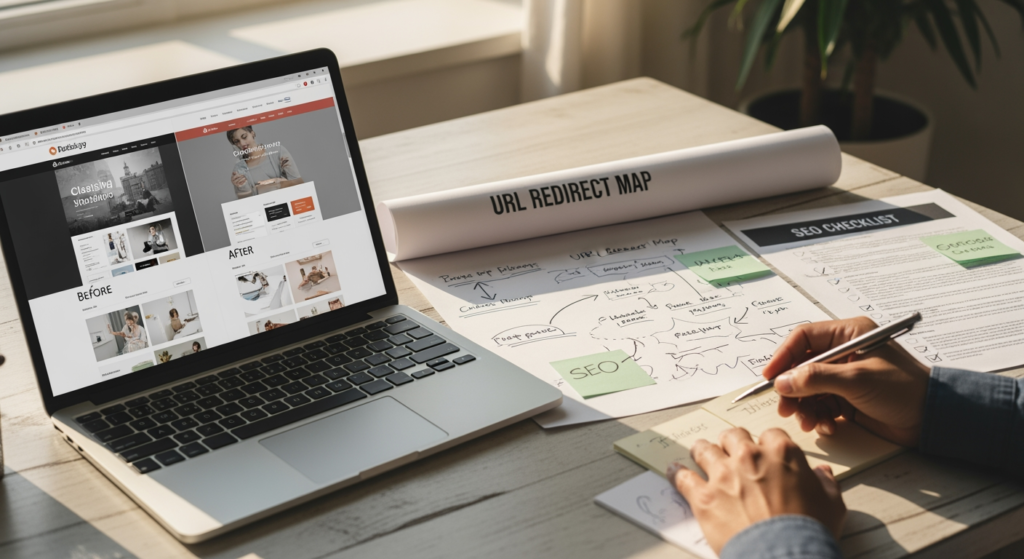
Redesigning a website can feel like renovating a house while you’re still living in it: exciting, messy, and full of “Wait… where did that page go?” moments. This website redesign case study is for small business owners and local service providers who want a better-looking site without accidentally tanking their search visibility in the process. A redesign is rarely just a visual upgrade—navigation changes, URLs shift, content gets rewritten, and technical settings change (often without anyone realizing the SEO impact).
To keep this grounded, we’ll walk through a realistic example of how a local service business approached a redesign with SEO in mind—what broke, what improved, and what we’d do again. For a deeper foundation on local search fundamentals that influence redesign decisions, see Understanding Local SEO for Small Business Visibility.
The Essentials From This Redesign Example
- SEO-safe redesigns start with inventory: map your current high-performing pages, keywords, and backlinks before changing anything.
- URL changes require redirects: if you change slugs or site structure, plan 301 redirects to preserve relevance signals and user pathways.
- Content pruning can backfire: removing “thin” pages is sometimes smart, but deleting pages that earn traffic/leads can reduce visibility.
- Speed and mobile UX matter: design choices (heavy media, scripts, fonts) can slow pages and hurt usability.
- Tracking is part of the build: analytics and conversion tracking should be validated before launch—otherwise you can’t measure impact.
Case Background: A Local Service Site That Needed a Reset
Business profile (anonymized): a local, appointment-based home service provider with one primary location and multiple service-area neighborhoods.
Starting point: an older site that looked dated on mobile, loaded slowly, and had grown “organically” over time—duplicate service pages, inconsistent calls-to-action, and blog posts that didn’t connect to core services.
Goal of the redesign: modernize the design, improve lead flow (calls/forms), and protect existing search visibility while creating a cleaner structure for future SEO work.
What Went Wrong Before: The Real Risks Hiding in a “Simple” Redesign
In this example, the business initially assumed the redesign was mostly a visual project. The first draft of the new site introduced common SEO risks:
- Changed URL paths (e.g., /services/service-name/ became /service-name/), which can break existing rankings and links if not redirected.
- Removed older pages that “felt outdated,” including a few that were quietly bringing in long-tail search traffic.
- Replaced headings and copy with shorter, more generic marketing text that looked nice but reduced topical clarity.
- Added heavy design elements (large videos and sliders) that increased load time on mobile.
None of these are “bad design.” They’re just examples of how design decisions can collide with search visibility if SEO isn’t part of the build plan.
How We Approached the Redesign (Step-by-Step)
This redesign was treated as a migration project and a conversion project—not just a visual refresh. The approach below is the repeatable framework behind the case study.
1) Pre-redesign content and URL inventory
We listed:
- Top pages by organic traffic and engagement
- Service pages that matched real customer intent
- Pages with inbound links (even a few)
- Existing calls-to-action and conversion paths
2) Information architecture that matches how people search
Instead of organizing the site around internal departments or “what we call things,” the navigation and service pages were structured around:
- Core services (each with a dedicated page)
- Supporting sub-services or common problems (where appropriate)
- Clear location/service-area cues (without stuffing city names everywhere)
3) On-page SEO carried forward—then improved
We preserved what was working (topics, intent alignment) while improving clarity:
- Rebuilt headings to be descriptive and scannable
- Expanded thin sections with practical FAQs and process details
- Kept internal links that helped users move from problem → service → contact
4) Redirect plan for every changed URL
Any URL that changed received a 301 redirect to the closest relevant new page. The key detail: we avoided redirecting “everything” to the homepage, which can confuse users and dilute relevance.
5) Technical QA before launch
Before going live, we checked:
- Mobile layout and tap targets
- Core templates (service page, blog, contact)
- Indexing controls (no accidental noindex tags)
- Form functionality and call tracking (where used)
Outcomes: What Improved (and What We Watched Closely)
Because SEO performance depends on competition, market conditions, and the starting point, outcomes should be viewed as directional rather than guaranteed. In this case, the redesign produced clear operational and marketing benefits that were observable soon after launch:
- Cleaner lead flow: fewer clicks from homepage to “contact,” clearer CTAs on service pages, and less confusion about what to do next.
- More consistent topical relevance: service pages better matched the phrases people actually use when searching (without over-optimizing).
- Reduced “dead ends”: improved internal linking helped users find the right service page instead of bouncing.
- Stability focus: the redirect plan and content carryover were designed to reduce the risk of sudden visibility drops during the transition.
We also monitored for common post-launch issues: redirect loops, missing title tags, broken forms, and pages unintentionally removed from the XML sitemap.

Lessons Learned You Can Steal for Your Next Redesign
This example reinforced a few practical truths that apply to most small business redesigns:
- Design and SEO aren’t enemies, but they need a translator. A beautiful site can still underperform if it hides key content or breaks URLs.
- “Shorter copy” isn’t always better. Redesigns often remove the exact context search engines (and customers) use to understand your services.
- Redirects are a business continuity tool. They protect not just rankings, but also customers clicking old links from bookmarks, emails, and directories.
- Navigation is a conversion decision. Your menu is not a filing cabinet—it’s a guided tour.
Mistakes That Commonly Derail SEO During Redesigns (Checklist)
- ☐ Launching without a redirect map — old URLs become 404s, and any existing authority is harder to carry forward.
- ☐ Deleting pages “because they’re old” — some older pages earn long-tail traffic and should be updated, not removed.
- ☐ Rewriting service pages into vague marketing copy — you can lose clarity about what you do, where you do it, and who you help.
- ☐ Ignoring mobile performance — heavy media and scripts can slow load times and frustrate users.
- ☐ Forgetting tracking and conversions — you can’t improve what you can’t measure, and “it feels better” isn’t a metric.
- ☐ Changing too much at once without QA — simultaneous platform, design, content, and URL changes can make troubleshooting harder.
A Practical Redesign Game Plan (Checklist)
- ☐ Export your top pages and queries from analytics/search tools before any changes.
- ☐ Decide what stays, what merges, what gets rewritten based on intent and performance—not aesthetics alone.
- ☐ Keep URL changes to a minimum unless there’s a clear structural reason.
- ☐ Build a one-to-one 301 redirect list for every changed or removed URL.
- ☐ Recreate (or improve) on-page essentials: titles, headings, internal links, and clear service descriptions.
- ☐ Validate forms, phone links, and tracking before and after launch.
- ☐ Monitor post-launch issues like 404s, indexing settings, and unexpected traffic drops.
Professional Insight: The “Invisible” SEO Win in Redesign Projects
In practice, we often see that the biggest SEO benefit of a redesign isn’t a flashy new homepage—it’s the behind-the-scenes cleanup: clearer page purpose, fewer duplicates, stronger internal linking, and a structure that makes future content easier to publish and maintain. When the site becomes easier for users to navigate, it usually becomes easier for search engines to interpret, too.
When DIY Redesign Stops Being Worth It
A do-it-yourself redesign can work for very small sites, but it’s smart to get professional support when:
- You plan to change URLs, platform, or domain (migration risk goes up fast).
- Your site has multiple service pages and you’re unsure which ones drive leads.
- You rely on Google Business Profile and local search for calls and appointments.
- You’ve had past ranking drops after site edits and want a safer process.
- You need tracking, forms, and call reporting to work reliably after launch.
Frequently Asked Questions About SEO-Safe Redesigns
Do I have to keep the same URLs during a redesign?
No, but changing URLs increases risk. If you do change them, a structured 301 redirect plan helps preserve user pathways and relevance signals.
Should I remove old blog posts and service pages?
Not automatically. It’s usually better to evaluate whether a page has traffic, links, or lead value. Many pages can be improved, merged, or repurposed instead of deleted.
What’s the most important thing to test before launch?
Confirm that key pages load correctly on mobile, forms submit properly, phone links work, and any tracking you rely on is firing as expected.
Will a new design automatically improve search visibility?
A new look alone doesn’t guarantee improved performance. Gains typically come from better structure, clearer content, faster pages, and fewer technical issues.
How long does it take to see the impact of a redesign?
It varies based on how much changed and how search engines recrawl the site. The more you alter URLs and content, the more important careful monitoring becomes.
Taking Action After This Case Study
A redesign can be a smart move for both credibility and lead generation—if you treat it like a structured transition instead of a “swap the theme and hope” project. Start by protecting what already works, plan your redirects, and make sure the new site explains your services clearly to real people. If you want a second set of eyes on your plan, getting expert help can reduce surprises after launch.
Get Your Free Quote
Find out how we can help with a no-obligation quote.
