



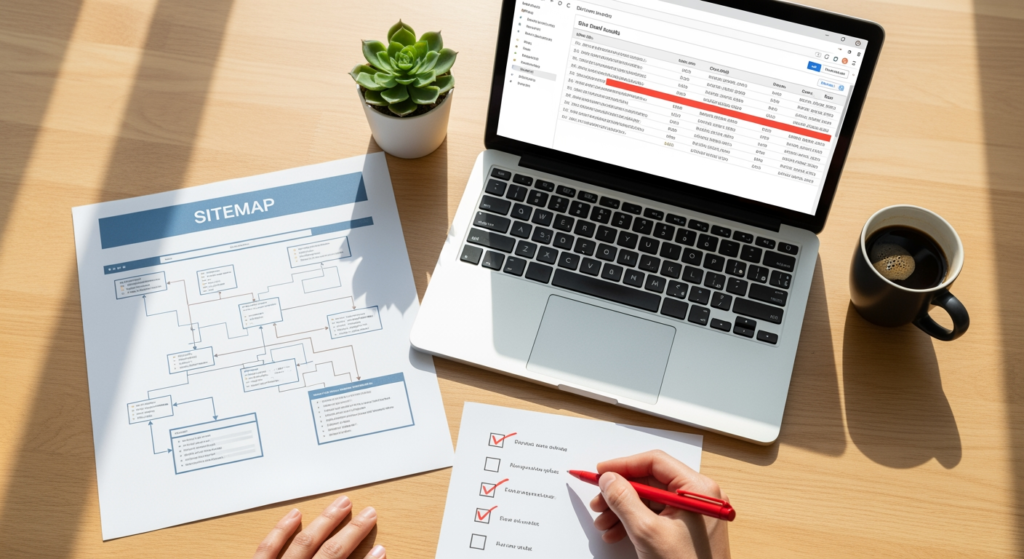
Planning your site structure is one of those “boring until it breaks” SEO tasks: when it’s done well, pages get discovered, understood, and ranked more efficiently; when it’s messy, even great content can struggle to perform. This website architecture checklist is built for small business owners, marketers, and web teams who want a clear, practical way to evaluate their site’s structure heading into 2026. It matters because architecture impacts crawlability, internal linking, user experience, and how confidently search engines interpret your services, locations, and priorities. Use the checklist below to spot structural gaps, reduce wasted pages, and create a site that’s easier to navigate—for humans and bots. If you’re rebuilding, migrating, or adding new service pages, this is also a smart pre-flight list to prevent avoidable SEO setbacks.
For a deeper foundation on local visibility, pair this with The Impact of Website Architecture on Local SEO Performance.
At a Glance: 2026 Architecture Priorities
- Keep your structure shallow and logical: Important pages should be reachable in a few clicks from the homepage.
- Build clear topic clusters: Group related services and supporting content so relevance is obvious.
- Use internal links intentionally: Link to key pages with descriptive anchors that match user intent.
- Remove or control low-value URLs: Reduce index bloat from filters, tags, and thin pages.
- Make navigation consistent across devices: Mobile menus should expose the same priorities as desktop.
- Validate with crawl + logs when possible: Confirm search engines can reach what you want indexed.
How Modern Site Structure Supports Search Visibility
Website architecture is how your pages are organized, connected, and prioritized—usually through navigation, internal links, categories, and URL structure. In practical terms, good architecture helps search engines discover pages (crawling), understand what each page is about (context), and decide which pages matter most (internal signals like links and hierarchy). It also helps visitors find what they need quickly, which can reduce frustration and improve engagement.
In 2026, the goal isn’t “tricking” an algorithm—it’s making your site easy to interpret. A clean hierarchy (homepage → category/service → detail/supporting pages) paired with consistent internal linking makes it easier for search engines to connect your brand with the services you actually want to be found for.

The Hidden Costs of a Messy Site Hierarchy
When structure is unclear, the impact often shows up in frustrating, expensive ways:
- Slower indexing of new pages: Orphaned or deeply buried pages can take longer to be discovered.
- Wrong pages ranking: Search engines may surface a blog post or old page instead of your main service page.
- Split authority: Similar pages compete with each other (cannibalization), diluting relevance signals.
- Wasted crawl budget (even on small sites): Bots spend time on thin or duplicate URLs instead of key pages.
- Higher maintenance costs: Every redesign, migration, or new service becomes riskier when structure is inconsistent.
Common Architecture Mistakes to Avoid (Medium Priority Checklist)
- ✓ Letting navigation grow without rules: If your main menu is a junk drawer, users and crawlers get mixed signals about what matters.
- ✓ Creating multiple “main” versions of the same service: Similar pages (or near-duplicates) can compete, making it harder to rank the right one.
- ✓ Orphan pages with no internal links: If nothing links to a page, it’s easy for search engines (and people) to miss it.
- ✓ Overusing tags, filters, and parameter URLs: These can explode into hundreds of low-value URLs that clutter indexing.
- ✓ Inconsistent URL patterns: Mixing formats (e.g., /services/plumbing and /plumbing-services) increases confusion and redirect needs.
- ✓ Relying on footer links to do all the work: Footer links help, but they shouldn’t be your primary internal linking strategy.
- ✓ Publishing without a content map: Adding pages reactively often leads to duplicates, thin pages, or unclear hierarchy.
Your Website Architecture Checklist for SEO (2026 Edition)
- ✓ Define your “money pages” first (Priority: Medium): List the top service, product, or lead-gen pages you want to rank, then design the structure around them.
- ✓ Limit click depth for key pages (Priority: Medium): Aim to keep core pages accessible within a few clicks from the homepage via navigation and contextual links.
- ✓ Create clear page groups (Priority: Medium): Organize content into logical buckets (Services, Industries, Resources, About, Contact) so intent is obvious.
- ✓ Use a consistent URL framework (Priority: Medium): Pick a pattern you can scale (e.g., /services/service-name/) and stick to it to reduce future cleanup.
- ✓ Build topic clusters with supporting content (Priority: Medium): Connect related pages (main service ↔ FAQs ↔ guides ↔ case studies) so relevance is reinforced.
- ✓ Add breadcrumb navigation where appropriate (Priority: Medium): Breadcrumbs clarify hierarchy for users and can help search engines interpret page relationships.
- ✓ Audit internal links intentionally (Priority: Medium): Ensure important pages receive more internal links from relevant pages, not random sitewide repetition.
- ✓ Standardize your navigation labels (Priority: Medium): Use plain-language menu items that match what customers look for (avoid clever labels that hide meaning).
- ✓ Control index bloat (Priority: Medium): Identify thin pages, duplicate URLs, and filter/tag pages; decide whether to improve, consolidate, noindex, or remove them.
- ✓ Validate with a crawl (Priority: Medium): Use a site crawler to find broken links, redirect chains, orphan pages, and inconsistent canonicals.
- ✓ Keep redirects clean during changes (Priority: Medium): When restructuring, map old URLs to the best new equivalent to preserve relevance and reduce dead ends.
- ✓ Make mobile navigation reflect real priorities (Priority: Medium): Don’t hide key sections behind multiple taps if they’re central to conversions.

Professional Insight: The “One Page Per Intent” Pattern
In practice, we often see sites improve when each core customer intent has one clearly designated primary page—then everything related links back to it. That reduces internal competition, makes internal linking simpler, and gives search engines a more consistent “this is the page” signal.
When DIY Structure Fixes Aren’t Enough
- You’re planning a redesign or platform migration: Architecture changes can create widespread URL changes, redirects, and indexing issues if not mapped carefully.
- Your site has hundreds (or thousands) of URLs: Parameter URLs, filters, and legacy pages often require technical rules—not just manual edits.
- Key pages aren’t getting indexed or keep dropping out: That can indicate crawl path problems, canonical issues, or thin/duplicate content patterns.
- Multiple pages rank for the same query, but none perform well: This can be a sign of cannibalization caused by unclear hierarchy.
- You can’t explain your site structure in one sentence: If it’s hard to describe, it’s usually hard to navigate and hard to maintain.
Common Questions About Site Structure
How many clicks should it take to reach important pages?
There isn’t a universal number, but important pages should be easy to reach from primary navigation and supported by relevant internal links so they aren’t buried.
Do I need breadcrumbs on a small business site?
If you have multiple levels (like Services → Category → Specific Service), breadcrumbs can clarify hierarchy. On very small sites, they may be optional.
Should I delete thin or outdated pages?
Sometimes consolidation is better than deletion. If a page has value (links, relevance, history), consider improving it or redirecting it to the best equivalent page.
Can internal links really influence which page ranks?
Internal links help signal which pages are most important and how topics relate. They work best when the linking page is contextually relevant to the target page.
Will changing URLs hurt performance?
It can if redirects and internal links aren’t handled carefully. When URLs change, it’s important to map redirects cleanly and update internal links to reduce reliance on redirects.
Taking Action on Your 2026 Architecture Plan
A solid structure makes every other SEO task easier—from publishing new content to improving local visibility and converting visitors into leads. Start by identifying your priority pages, cleaning up page groups and URLs, then strengthen internal linking so search engines and customers can follow the same clear path. If you only do one thing this week, run a crawl and fix orphan pages and broken links first. Small structural improvements compound over time, especially as your site grows.
Want More Information?
Download our free resource to learn more about this topic.
