



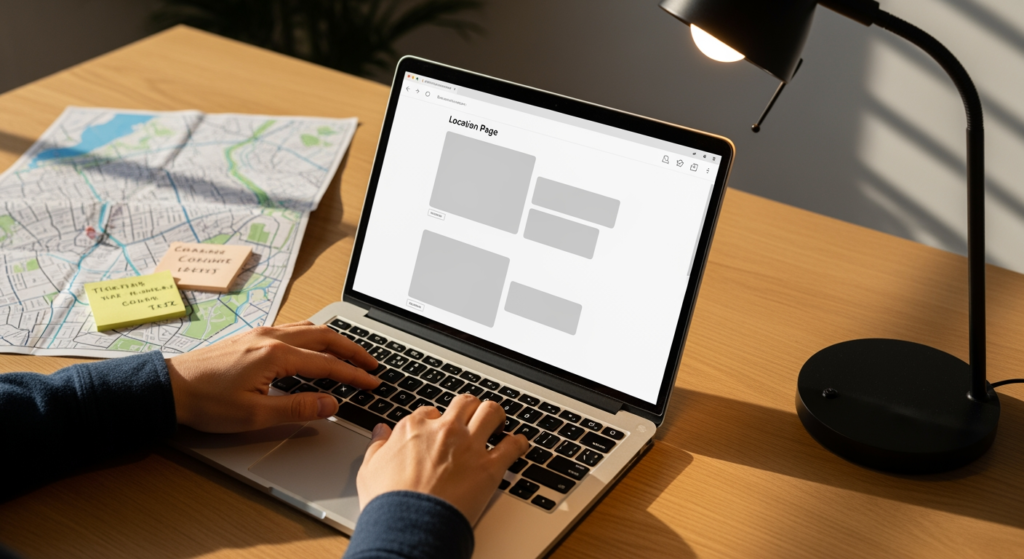
City pages are one of the most practical ways for a local or service-area business to show up for searches that include a place name—without turning your website into a copy-paste maze. If you’re planning (or rebuilding) a location strategy, this city pages SEO guide for 2026 is for you: business owners, marketers, and anyone responsible for leads coming from organic search. Done well, city pages help search engines and customers quickly understand where you work, what you offer there, and how to take the next step. Done poorly, they can create thin, repetitive pages that confuse users and dilute your site’s relevance.
If you want the bigger-picture foundation first, start with Understanding Local SEO for Small Businesses—then come back and use the checklist frameworks below to build (or fix) your location pages.
Bottom Line Upfront: City Page Essentials
- Create city pages only when you can add unique, helpful information for that location (services, coverage details, proof, and next steps).
- Use a consistent template, but vary the on-page content so each page answers local intent without sounding duplicated.
- Match each page to a real search need: “service + city,” “near me” alternatives, neighborhoods, and common local questions.
- Build internal links that help users navigate by service and geography (not a huge wall of city links in the footer).
- Track outcomes by page: impressions, calls/forms, and keyword coverage—then improve pages that get visibility but don’t convert.
How City-Based Location Pages Work in Local Search
A city page is a dedicated webpage that targets searches tied to a specific place (for example, a service you offer in a particular city). The goal isn’t to “trick” Google into ranking a page—it’s to make the page the best answer for a local query by clearly describing:
- Relevance: what you do and how it applies to that city’s customers.
- Coverage: where you actually serve (city limits, neighborhoods, surrounding areas, service radius).
- Trust signals: proof you operate there (projects, testimonials, reviews, case examples, photos where appropriate).
- Action: the next step (call, request a quote, book, directions if you have an office).
In 2026, the bar for “good enough” content keeps rising. Search engines are better at spotting pages that are essentially the same page with the city name swapped. A strong city page reads like it was written for that community’s needs—because it was.

The Real Business Impact of Getting City Pages Wrong
Location pages can help your site earn relevant visibility, but they also create real trade-offs. Here’s what’s typically at stake:
- Time and budget: Publishing dozens of pages quickly may feel productive, but fixing thin or duplicated pages later can cost more than building fewer, stronger pages upfront.
- Lead quality: Vague coverage language (“We serve everywhere!”) can drive the wrong calls—people outside your service area or looking for a service you don’t offer locally.
- Site clarity: If users can’t tell whether you have a physical location, a service area, or both, they hesitate—and hesitation is the enemy of conversions.
- Index bloat: Too many low-value pages can dilute internal linking signals and make it harder to identify which pages deserve priority.
- Brand trust: Pages that read automated or repetitive can make a legitimate business look less credible.
Common City Page Mistakes (Use This Checklist)
- Publishing “swap-the-city-name” pages: Same paragraphs, same headings, different city—easy to produce, hard to justify as unique value.
- Targeting cities you don’t actually serve: It may increase impressions, but it often increases bad leads and damages user trust.
- Hiding the service area details: If your coverage rules are unclear (radius, counties, neighborhoods), users bounce or call competitors.
- Overstuffing location terms: Repeating the city name unnaturally can reduce readability and make content feel spammy.
- Weak on-page structure: No clear H1/H2s, no scannable service list, and no “how to get started” section.
- Ignoring internal linking: Orphaned city pages (no links pointing to them) are harder for users and crawlers to find.
- No proof elements: No testimonials, no project examples, no FAQs, no differentiators—just generic marketing copy.
- Thin CTAs: A single “Contact us” line with no context (pricing ranges, response expectations, what happens next) often underperforms.
A Smart Build Plan for High-Quality City Pages
- Start with a “where you truly serve” list: Include core cities, high-demand suburbs, and any areas you can support operationally.
- Map one primary intent per page: Usually “service + city.” If you need multiple services, consider separate service pages with location modifiers rather than cramming everything into one.
- Use a repeatable template with flexible modules: Keep navigation and layout consistent, but rotate in location-specific sections (projects, testimonials, common problems, neighborhood notes).
- Write a unique opening that matches local intent: Mention the service, who it’s for, and what a customer in that city typically needs.
- Add a clear service-area statement: Example: “Based in X, serving Y and nearby neighborhoods,” plus any constraints (distance, travel fees, scheduling windows).
- Include a “What we do here” list: Bullet the specific services offered in that city (and remove services you don’t offer there).
- Add proof that doesn’t overreach: Customer quotes, before/after descriptions, or process details—only if accurate and supportable.
- Strengthen internal links intentionally: Link from relevant service pages to top-priority cities, and from city pages back to the core service page.
- Optimize the page for action: Put your primary CTA above the fold, add a short “what happens next” section, and make phone and form options obvious.
- Measure and iterate: Improve pages that earn impressions but don’t get clicks; improve pages that get clicks but don’t convert.

What We’ve Learned After Reviewing Lots of Location Pages
In practice, we often see businesses try to scale city pages before they’ve nailed their core service messaging and site structure. When the “main service” page is unclear, every city page inherits that confusion—just with a different place name. The fastest path to a stronger location strategy is usually: clarify the core offer, build a clean template, then expand into cities where you can add real, local-specific value.
When DIY City Pages Stop Making Sense
Building location pages in-house can work—until complexity shows up. Consider professional support if any of these are true:
- You have multiple locations or mixed models: Some offices + some service areas, different hours, different teams.
- You need dozens of pages: Scaling without duplication requires planning, editorial standards, and quality control.
- Your pages are indexed but not performing: They get impressions but low clicks, or clicks but few calls/forms.
- You’ve had past SEO issues: Thin content, doorway-page concerns, or messy site architecture.
- You’re unsure how to structure internal links: Especially when balancing services, cities, and conversion paths.
Common Questions About City Page Strategy
How many location pages should a local business create?
Create as many as you can support with genuinely useful, distinct information and a clear service promise. For many businesses, starting with a smaller set of priority cities and expanding based on demand is more manageable.
Do these pages need to be different from each other?
Yes—at least in the parts that answer the user’s local intent. A consistent layout is fine, but each page should include location-specific details such as coverage notes, service emphasis, proof elements, and locally relevant FAQs.
Should a service-area business list an address on location pages?
Only include an address if it’s a real, customer-facing location and you’re comfortable with customers visiting. If you operate as a service-area business, it’s often better to focus on coverage areas and contact options rather than implying a storefront.
What should a strong city page include for conversions?
A clear description of the service, who it’s for, service-area boundaries, proof (where available), and an obvious next step. A short “what happens after you contact us” section can also reduce friction.
Can location pages help with Google Maps visibility?
They can support your overall local presence by improving on-site relevance and clarity, but Maps visibility depends on multiple factors. Treat city pages as one part of a broader local search strategy.
Taking Action on Your 2026 Location Strategy
City pages work best when they’re built for humans first: clear service coverage, useful local context, and an easy path to contact you. Focus on quality over quantity, keep your site architecture clean, and use performance data to decide which pages to expand or rewrite. If you’re unsure whether your current pages are helping or quietly holding you back, a structured review can reveal quick wins and longer-term improvements.
Learn More About Our Services
Discover how we can help you achieve your goals.
