



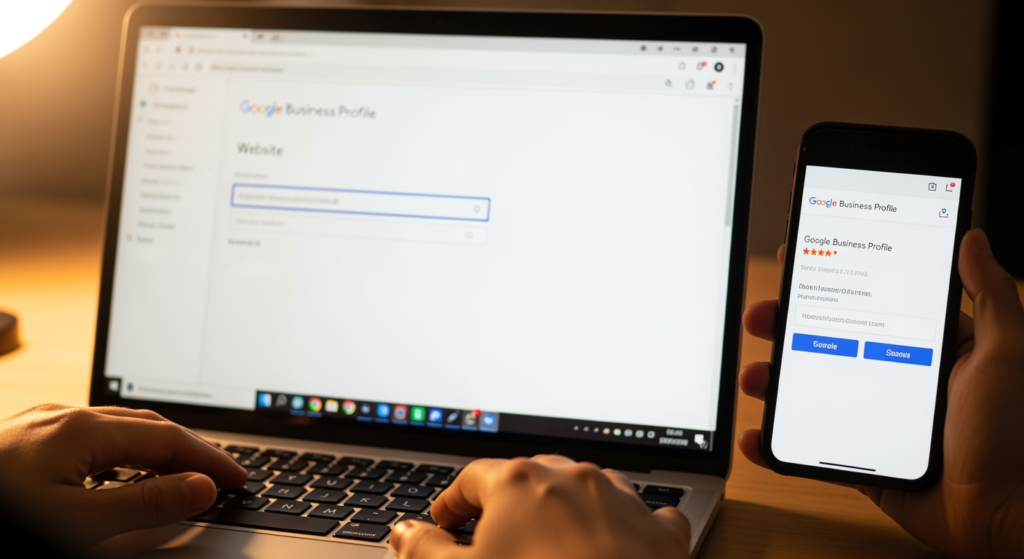
Connecting your website to your Google Business Profile is one of the simplest local SEO moves that can still create real confusion. Business owners often ask which link to use, where it shows up, whether it affects Maps visibility, and what happens if they have multiple locations or service areas. If you’re trying to turn profile views into calls, form fills, and store visits, this connection matters because it’s the bridge between “found you on Google” and “became a customer.”
This guide breaks down what the Google Business Profile website link actually does, how to choose the right URL, and how to avoid common issues that can dilute trust signals. For a broader view of how local visibility works across your whole presence, see The Impact of Local Business Listings on SEO and Online Visibility.
What You Need to Know First
- The Google Business Profile website link is the primary path from your profile to a page you control, so it should match the user’s intent (location, service, or booking).
- Use a location-specific page when you have multiple storefronts; use a service-area landing page when you travel to customers.
- Keep the URL stable—frequent changes, broken links, or redirects to irrelevant pages can create a poor user experience.
- Make sure the linked page clearly shows your business name, services, and contact info so users (and search engines) can confirm they’re in the right place.
- Track performance with UTM parameters if you want cleaner reporting, but keep them consistent and readable.
How the Website Link in Your Profile Actually Works
Your Business Profile includes a website field that can appear as a prominent action (such as a website button) across Google Search and Google Maps experiences. When someone clicks it, Google sends them to the URL you provided—no magic, but the choice of destination can strongly influence what they do next.
From a local SEO perspective, the website link helps connect three things:
- Discovery: someone finds your business in Search or Maps.
- Verification: they confirm you’re legitimate by checking your site for services, address/service area, and details.
- Conversion: they take action—call, request a quote, book, or visit.
It also helps reduce friction. If a user lands on a page that doesn’t match what they expected (wrong location, wrong service, generic homepage with no next step), they’re more likely to bounce and choose a competitor.
Choosing the Right URL: Homepage vs Location Page vs Service Page
The “best” URL depends on your business model and how your customers make decisions. Here are practical rules of thumb.
When a homepage is the right choice
Use your homepage if it clearly routes visitors to the next step quickly. That usually means your homepage has obvious calls-to-action (call, request a quote, schedule), strong navigation, and immediately states what you do and where you do it.
When a location page is the better choice
If you have multiple locations, linking each profile to its matching location page is typically more useful for users. A location page should include:
- That location’s address (if you serve customers at the location)
- Phone number and hours (where applicable)
- Services offered at that location
- Directions/parking or service coverage details
- A clear contact or booking path
When a service or booking page wins
If most profile visitors are ready to take action, linking directly to a booking or “request an estimate” page can reduce steps. This can work well for service businesses where the primary goal is lead generation, as long as the page still reassures users they’re choosing the right business.
The Real-World Impact on Calls, Leads, and Local Trust
The website connection affects more than clicks. It shapes how confidently people choose you after seeing your listing.
- User confidence: A relevant landing page with clear services, contact info, and proof (photos, reviews, project examples) can help people feel comfortable reaching out.
- Lead quality: Sending users to a page aligned with the query (e.g., “water heater repair” instead of a generic homepage) can improve the odds they contact you for the right service.
- Operational cost: A confusing destination page can lead to more “wrong number / wrong service” calls and time spent clarifying basics.
- Reputation risk: Broken links or outdated pages can make a business look inactive—even if you’re not.
None of this guarantees a specific ranking outcome, but it does directly influence the user journey that starts on your profile and ends in revenue.
Common Missteps That Break the Connection (Checklist)
- Linking every location to the same generic page: Users looking for a specific area may not see the address, hours, or contact details they need.
- Sending traffic to a social profile instead of your site: It can work for some brands, but it often reduces control over messaging, conversions, and tracking.
- Using a URL that redirects multiple times: Extra hops can slow load time and sometimes break tracking.
- Choosing a page that doesn’t match your primary offer: If the page focuses on a different service than your profile category implies, users may leave quickly.
- Forgetting mobile experience: Many profile clicks happen on phones; hard-to-tap buttons and slow pages can waste the opportunity.
- Inconsistent business info on the landing page: If the site shows a different phone number, address, or brand name, it can confuse customers.
A Practical Setup Plan You Can Use Today (Checklist)
- Pick the destination page based on intent: homepage (general), location page (multi-location), service/booking page (high-intent).
- Confirm the page answers five questions fast: who you are, what you do, where you serve, how to contact you, and what to do next.
- Make the page mobile-first: fast load, readable text, click-to-call, and a short form if you use forms.
- Add consistent business details: name, phone, and service area/address should be easy to find on the page.
- Use a clean UTM structure (optional): keep it consistent (e.g., source=google, medium=organic, campaign=gbp) so reporting is easier later.
- Test the link monthly: click it from your own profile on mobile to confirm it loads correctly and still matches your offer.
What Most Business Owners Miss About GBP-to-Website Traffic
In practice, we often see businesses focus heavily on getting more profile views while overlooking what happens after the click. The biggest gains usually come from tightening the match between the listing and the landing page—same services, same geography, same next step—so users don’t have to think. When that alignment is off, you can end up paying the “attention tax”: lots of visibility, but fewer calls and forms than you’d expect.
When DIY Isn’t Enough: Signs You Should Get Support
- You have multiple locations and aren’t sure whether to link to separate location pages (or you don’t have them yet).
- Your site was recently rebuilt or migrated and you suspect old URLs or redirects are causing issues.
- You’re getting clicks but few conversions, and you need help diagnosing the landing page experience.
- Your business information is inconsistent across your website and listings, creating confusion for customers.
- You need tracking clarity (UTMs, analytics goals, call tracking considerations) but want to keep the setup clean.
Common Questions Answered
Should I link to my homepage or a specific service page?
If most customers need context before contacting you, the homepage (or a strong “start here” page) can work well. If customers are usually ready to book or request a quote, a focused service or booking page can reduce steps.
What should multi-location businesses link to?
Each profile is typically best linked to the matching location page so users see the correct address, hours, and contact details for that specific place.
Can I use tracking parameters on the website link?
Yes, many businesses use UTM parameters to better attribute traffic. Keep the URL readable, consistent, and pointed to the most relevant page.
What if my business doesn’t have a storefront address?
If you’re a service-area business, link to a page that clearly states the service area, the services you provide, and the fastest way to contact you.
How often should I review the link?
A monthly check is a practical cadence, and you should also re-test after any website redesign, domain change, or major navigation update.
Your Next Steps
The connection between your profile and your site is a high-leverage detail: it influences how easily customers move from discovery to action. Choose a URL that matches intent, make the landing page mobile-friendly, and keep your business info consistent. If you’re not sure which page to use—or you want a cleaner conversion path—getting a second set of eyes can save time and prevent missed leads.
Learn More About Our Services
Discover how we can help you achieve your goals.
