



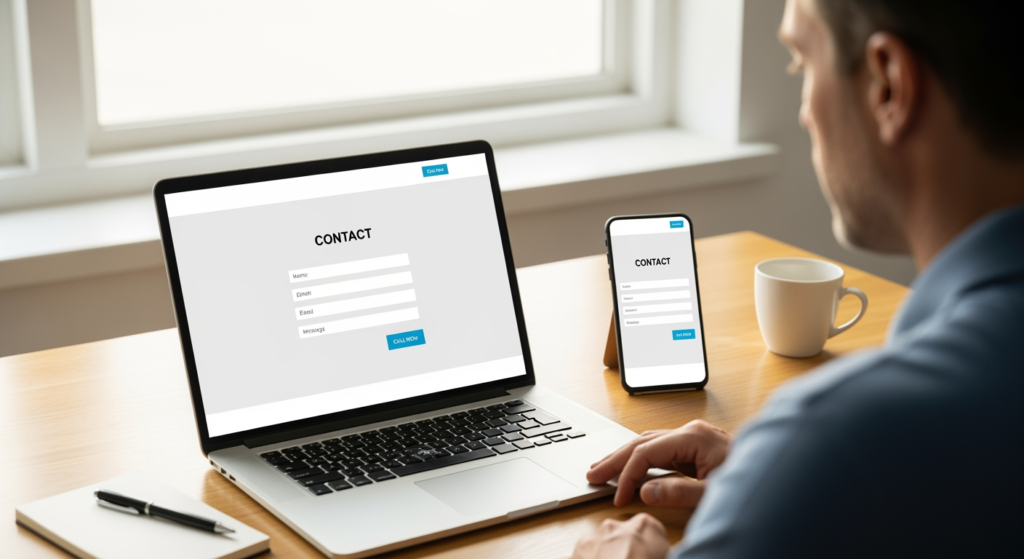
Summer can bring a surge of ready-to-buy customers, but only if your website is doing its job: answering questions fast, building trust, and making it easy to contact you. This website design faq is for local business owners and service providers who want more calls, form fills, and booked jobs during seasonal demand without turning their site into a science project. The stakes are real—if your pages load slowly, look dated on mobile, or bury key info, visitors don’t “wait it out.” They bounce and pick the next option in search results. Below, we’ll break down what to prioritize, what to avoid, and how to make smart website updates that support lead flow while keeping your brand consistent.
If you want a bigger-picture view of how your website fits into local visibility, start with Understanding Local SEO for Small Business Visibility.
Bottom Line: What Most Summer-Ready Sites Have in Common
- They’re mobile-first. Summer shoppers often search on phones between errands, trips, and appointments.
- They highlight one primary action per page. Call, book, request a quote—no “choose your own adventure” navigation.
- They load quickly and feel simple. Speed and clarity usually beat flashy effects for lead generation.
- They answer seasonal questions up front. Availability, service areas, hours, and turnaround times are easy to find.
- They build trust fast. Clear service pages, real photos, reviews/testimonials, and straightforward policies reduce hesitation.
- They’re built to be updated. Promotions, hours, and service details can be changed without breaking the layout.
How Summer Lead-Gen Website Design Actually Works
A lead-focused website isn’t just “pretty.” It’s a system that moves a visitor from interest to action with as few obstacles as possible. In summer, people tend to make faster decisions—so your site should reduce friction: clear headlines, scannable sections, obvious contact options, and pages that load reliably on mobile data.
Practically, that means your homepage and key service pages should answer three questions quickly: What do you do? Who do you do it for (and where)? What should I do next? When those are clear, visitors are more likely to call or submit a form instead of “thinking about it” until fall.

The Real Cost of a Website That Isn’t Summer-Ready
If your site isn’t aligned with how people shop during peak season, the impact usually shows up in a few predictable ways:
- Lost leads from mobile users: A site that’s hard to tap, read, or navigate on a phone can quietly drain conversions.
- More price-shopping and fewer calls: When your value isn’t clear, visitors treat you like a commodity.
- Wasted marketing effort: Even strong SEO or referrals can underperform if your pages don’t convert.
- Operational headaches: If customers can’t find service areas, hours, or booking steps, they call to ask basics—or they leave.
None of this requires panic. It just means your website should support the way customers behave in-season: fast, mobile, and comparison-driven.
Common Website Mistakes That Quietly Kill Summer Conversions (Checklist)
- Overloading the homepage with everything. Too many options can reduce action; prioritize one primary conversion goal.
- Hiding the phone number or contact button. If it’s not visible quickly on mobile, you’re making leads work too hard.
- Using vague headlines. “Welcome to our website” doesn’t tell a rushed visitor what you actually do.
- Letting key pages go stale. Old hours, outdated services, or expired promos can create doubt.
- Slow load times from oversized images. Great photos help—until they delay the page from appearing.
- Forms that ask for too much. Long forms can lower completion rates; start with essentials.
- No trust signals near decision points. Add reviews/testimonials, guarantees/policies (if applicable), and credentials where users choose to contact you.
A Smart Action Plan to Capture More Seasonal Leads (Checklist)
- Audit your mobile experience first. Check tap targets, font size, sticky header behavior, and whether the primary CTA is obvious.
- Clarify your top 1–2 services on the homepage. Use plain language and link to dedicated service pages.
- Add a clear “next step” above the fold. Call, request a quote, book an appointment—choose one primary action per page.
- Update seasonal details. Hours, response time expectations, service area notes, and availability should be current.
- Streamline your contact options. Make phone, form, and (if used) booking links easy to find across the site.
- Improve page speed basics. Compress images, limit heavy animations, and remove unused plugins/features where possible.
- Place trust elements where they matter. Add testimonials near CTAs and include clear policies that reduce hesitation.
Professional Insight: The Small Change That Often Makes the Biggest Difference
In practice, we often see that improving clarity beats adding features—tightening the headline, simplifying navigation, and making the primary call-to-action unmistakable can outperform a full redesign when your goal is more leads.
When DIY Updates Aren’t Enough (And It’s Time to Get Help)
You may want professional support if any of the following are true:
- Your site isn’t mobile-responsive (text is tiny, buttons are hard to tap, layouts break on phones).
- Pages load slowly and you’re not sure why—or fixes keep causing new issues.
- You can’t easily update content (hours, services, photos, promos) without messing up the design.
- Your tracking is unclear (you don’t know which pages generate calls or form submissions).
- You’re planning a redesign and want to avoid losing existing visibility or leads during changes.
Your Questions, Answered: Summer Website Edition
How quickly should my website communicate what I do?
Ideally, within the first screen on mobile. A clear headline, a short supporting line, and one obvious next step (call, quote, book) help visitors decide fast.
What pages matter most for generating leads?
Usually: your homepage, your primary service pages, and your contact page. If you serve multiple services, each major service should have its own dedicated page with a focused call-to-action.
Should I add online booking for the summer rush?
Booking can help if it matches how your business operates. If scheduling is complex, a simpler “request a quote” or “request an appointment” form may reduce back-and-forth while still capturing leads.
Do I need a full redesign to get more seasonal inquiries?
Not always. Many businesses see improvement from targeted updates like clearer messaging, faster load times, better mobile layout, and stronger calls-to-action on key pages.
What’s a reasonable way to think about results from website changes?
Website updates can improve usability and conversion rate, but outcomes vary based on your traffic sources, competition, and how well your offer matches what customers need. It’s best to track calls and form submissions before and after changes.
Moving Forward
A summer-ready website focuses on speed, mobile usability, and clear next steps—so visitors don’t have to hunt for answers. Prioritize the pages that drive action, remove friction, and make trust easy to see. If you’re not sure what to fix first, a quick audit of mobile experience and calls-to-action usually reveals the biggest opportunities.
Get in Touch
Fill out our quick form and we’ll get back to you within 24 hours.
