



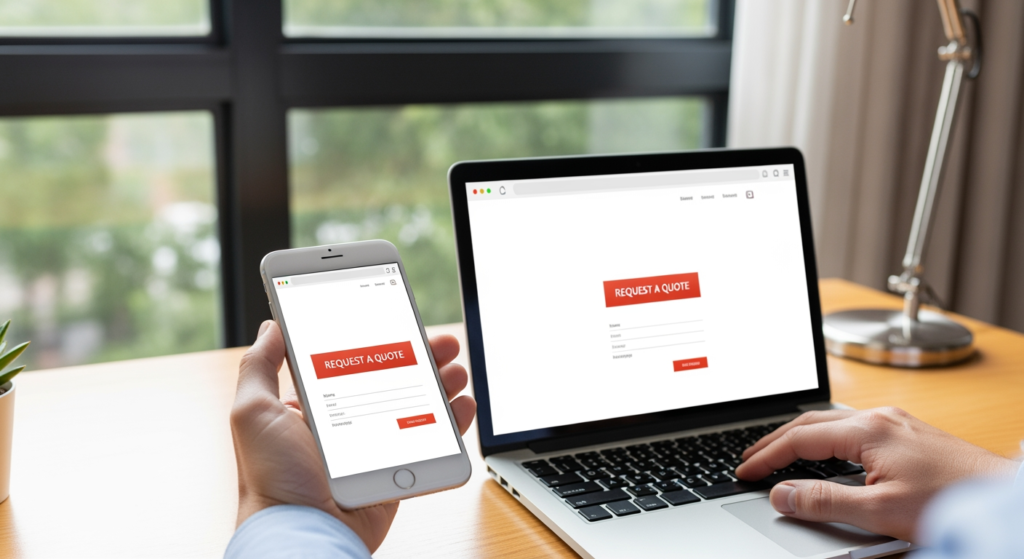
Summer can bring a real shift in buyer behavior: different hours, different needs, and a lot more “I need this now” searches from phones. If your website looks fine but inquiries slow down (or your traffic rises while leads don’t), you may not have a traffic problem—you may have a conversion problem. This summer-ready website conversion checklist is built for local and small business owners who want more calls, form fills, bookings, and quote requests from the visitors they already have.
If you want a deeper foundation on how local visibility connects to on-site actions, start with Understanding Local SEO for Small Business Visibility. Then use the steps below to make sure summer traffic doesn’t bounce like a beach ball.
The Essentials for a Summer Conversion Tune-Up
- Make your primary call-to-action obvious on mobile (call, book, request quote) and keep it consistent across key pages.
- Match your messaging to summer intent (seasonal services, limited availability, faster turnaround, travel schedules).
- Speed and clarity beat clever design—especially when visitors are on cellular data and multitasking.
- Reduce friction in forms by cutting fields, adding expectations (response time), and offering a phone option.
- Build trust quickly with reviews, service area info, and proof of real work near the top of the page.
How a Website Turns Summer Traffic Into Leads
Conversion is simply the moment a visitor takes the next step you want—calling, booking, requesting an estimate, or submitting a form. In summer, that decision is often faster and more impulsive: people are traveling, juggling kids’ schedules, or trying to solve a problem before a weekend trip. Your site has to answer three questions quickly:
- Am I in the right place? (clear service + location/service area + who you help)
- Can you help me soon? (availability, hours, response expectations, easy contact)
- Can I trust you? (reviews, credentials, photos of real work, clear policies)
When those answers are buried, visitors don’t “think about it.” They tap back and try the next option—usually from a competitor in the same search results.
The Real Cost of Waiting Until Late Summer
Putting off conversion fixes can be expensive in ways that don’t show up neatly in your analytics. Summer traffic often includes high-intent searches (urgent repairs, last-minute bookings, seasonal services). If your site is slow, unclear, or hard to use on mobile, you can lose:
- Same-day leads that turn into quick wins when your CTA is frictionless.
- After-hours inquiries when people browse at night and want an easy form or booking option.
- Marketing efficiency because you’ll need more traffic to get the same number of leads.
- Reputation momentum if visitors can’t find reviews, service areas, or what happens next.
Timing matters because small improvements now can help you capture demand while it’s peaking—rather than “fixing it later” after the season’s best opportunities have passed.
Conversion Killers to Check Off (Before They Cost You)
- CTA buttons that blend in — If “Call” or “Request a Quote” looks like regular text, people won’t hunt for it.
- Mobile header takes over the screen — Oversized sticky headers can push the actual offer below the fold.
- Too many form fields — Long forms feel like homework; keep it to what you truly need to start.
- No response-time expectation — Visitors hesitate when they don’t know if you reply in 10 minutes or 3 days.
- Vague headlines — “Welcome to our website” doesn’t tell a summer visitor you solve their problem.
- Hidden phone number — If someone has to scroll to the footer, you’re making them work too hard.
- Outdated hours or seasonal availability — Summer schedules change; mismatches can create instant distrust.
- Stocky, generic imagery — If nothing on the page proves you’re real and local, skepticism rises.
- Slow pages on cellular data — Heavy sliders, oversized images, and extra scripts can quietly drain conversions.
- Too many competing offers — If every section is a different “next step,” visitors choose none.
Your Summer-Ready Website Conversion Checklist (Do This This Week)
- Put one primary CTA on every key page (Home, Services, Contact) and keep the wording consistent.
- Add click-to-call on mobile and ensure the phone number is visible without scrolling.
- Shorten your main form to the essentials (name, phone/email, what they need, preferred time).
- Set expectations near the form (e.g., “We respond during business hours” or “We’ll get back to you within 1 business day”).
- Update seasonal messaging (summer services, limited slots, heat-related issues, peak-season maintenance).
- Refresh hours and holiday closures so they match your real summer schedule.
- Move trust signals higher (reviews, before/after photos, credentials, service area statement).
- Check page speed on your phone using cellular data, not just office Wi-Fi.
- Make pricing language clearer (starting rates, “free estimate,” financing options if applicable—without overpromising).
- Confirm your thank-you page works and that you receive form notifications reliably.
- Track the basics (form submissions, click-to-call taps, booking completions) so you can measure changes over time.

Professional Insight: The “Summer Scroll Test” Most Sites Fail
In practice, we often see businesses focus on adding more content when conversions dip—more paragraphs, more service lists, more everything. But summer visitors usually skim. If your site doesn’t communicate who you help, what to do next, and why you’re trustworthy within the first few seconds of scrolling on a phone, the rest of the page rarely gets a chance to work.
When DIY Tweaks Aren’t Enough
Small edits can help, but it’s time to bring in professional support if you notice any of the following:
- Traffic is steady (or rising) but leads are flat across multiple weeks.
- Mobile users bounce quickly from key pages like Home, Services, or Contact.
- You’re unsure what to prioritize (design, messaging, speed, tracking) and changes feel random.
- Your site is hard to update so seasonal hours, offers, and service info become outdated.
- Forms or tracking are unreliable (missed notifications, broken submissions, unclear attribution).
Common Questions About Summer Website Conversions
What should I update first for peak-season visitors?
Start with the mobile experience: a clear primary call-to-action, visible contact options, and a short form. Then update hours, availability, and seasonal service messaging so expectations match reality.
How many calls-to-action should a small business site have?
It’s usually best to have one primary action (like “Request a Quote” or “Book Now”) and one secondary option (like “Call”). Too many competing actions can reduce follow-through.
Do reviews really impact whether people contact me?
They can help build trust quickly, especially when visitors are comparing multiple providers. Place a small, credible reviews section near the top of key pages so it’s easy to find.
Should I change my homepage for summer promotions?
If you have seasonal services or limited availability, a small homepage update can be helpful. Keep it simple: one clear message, one clear next step, and accurate details about timing.
What’s a reasonable form length for lead generation?
Shorter is typically easier to complete. Collect only what you need to respond effectively, and save deeper questions for the follow-up call or appointment.
Taking Action Before the Season Flies By
A summer conversion tune-up doesn’t require a full rebuild, but it does require focus: clear next steps, fast mobile usability, and trust signals that show up early. Use this checklist to tighten the path from visit to inquiry, especially during high-intent seasonal searches. If you make a few targeted improvements now, you’ll be in a better position to capture demand while it’s active and customers are ready to book.
Book Your Consultation
Schedule a free consultation with our experts.
