



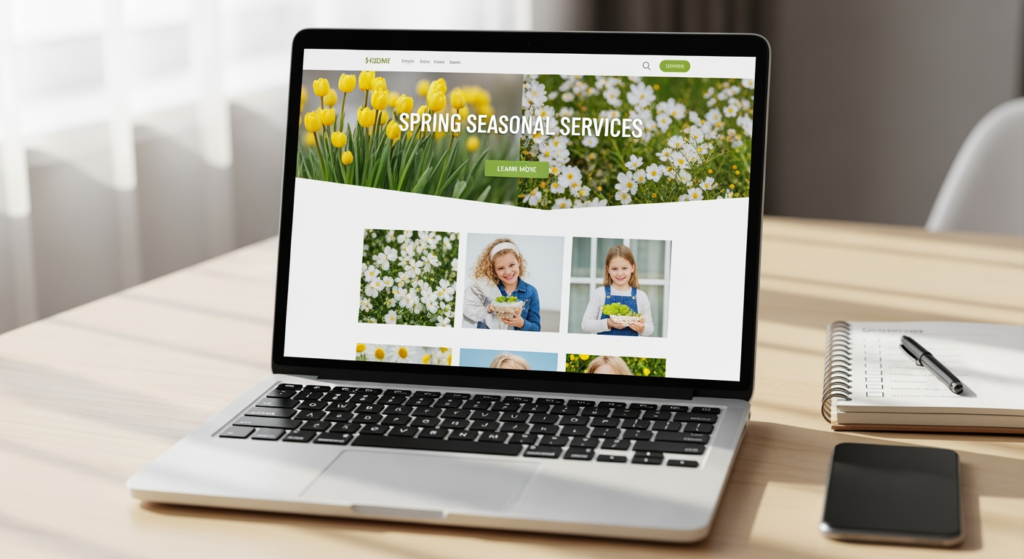
Spring is when many local businesses get a predictable spike in calls, quote requests, and “can you come this week?” messages—especially for home services, outdoor projects, and seasonal maintenance. If your website is missing (or under-optimizing) spring service pages, you may be relying on luck instead of search intent. This guide is for small business owners and marketers who want a practical, website-design-first checklist to publish, refresh, and measure seasonal service content without turning it into a months-long project.
The goal is simple: make it easy for search engines and customers to understand exactly what you offer this season, where you offer it, and how to book you. If you want a broader foundation on local visibility, start with Understanding Local SEO Best Practices for Small Businesses.
Bottom Line Upfront: What to Do This Spring
- Create or refresh seasonal service URLs with clear headings, scannable sections, and a strong booking path.
- Match page content to spring intent (timelines, weather, prep steps, and common questions) instead of generic service copy.
- Add internal navigation support (service hub links, related services, and “next step” CTAs) so pages don’t become dead ends.
- Update trust signals (photos of recent work, service area details, warranties/guarantees if applicable, and FAQs).
- Implement basic technical hygiene (mobile layout, Core Web Vitals awareness, indexability, and structured content blocks).
How Seasonal Service Pages Work (And Why They’re Different)
A seasonal service page is a dedicated page that targets a time-bound need—like spring cleanups, tune-ups, inspections, or installations—while still representing a real service you provide. Unlike a general “Services” page, a spring-focused page should answer seasonal questions quickly: what’s included, when to schedule, what to do before you arrive, and what problems the service prevents.
From a website design standpoint, these pages work best when they’re built for scanning and action: clear page sections, obvious contact options, and content that reduces back-and-forth. From an SEO standpoint, they help align your site with seasonal search behavior and long-tail queries (for example, “spring HVAC tune up” or “yard cleanup before HOA inspection”).

Why Timing Matters: The Cost of Waiting Until Late Spring
Seasonal pages are most useful when they’re live before demand peaks. If you publish after customers have already started searching, you’re competing against pages that have had more time to be crawled, indexed, and engaged with. Even when rankings aren’t the goal, late pages can still underperform because they miss the “planning window” when customers compare options.
There’s also an operational cost: rushed pages often skip key details (service area, what’s included, preparation steps), which can lead to low-quality leads or extra admin time answering repetitive questions. The best spring pages reduce friction for both the customer and your team.
Spring Page Mistakes That Quietly Kill Conversions (Checklist)
- Using a generic template with swapped keywords — Customers can tell when the page doesn’t reflect real spring scenarios or constraints.
- No clear “what’s included” section — Unclear scope leads to mismatched expectations and fewer form fills.
- Hiding the primary call-to-action — If the phone number or form is buried, mobile users bounce fast.
- Forgetting service area clarity — Vague geography creates uncertainty (and wasted leads from outside your coverage).
- Overstuffing locations or keywords — This can make the page read poorly and weaken trust.
- Publishing without basic QA — Broken forms, missing tracking, or non-indexable pages are surprisingly common.
Your Spring Publishing Plan: A Practical Build Checklist
- Choose the right page type: create a dedicated seasonal page (best for major seasonal offers) or add a spring section to an existing core service page (best for smaller add-ons).
- Write a spring-specific hero: state the service, who it’s for, and the next step (call, request quote, book).
- Add a “Spring is the right time because…” section: include weather/timing considerations, common seasonal problems, and what the service helps prevent.
- List scope in bullets: what’s included, what’s not included, and common add-ons.
- Include a prep checklist: 3–7 steps customers should do before the appointment (pets, access, photos, measurements, etc.).
- Build a simple comparison block: “spring service vs. later in the year” or “one-time vs. maintenance plan” (only if you truly offer both).
- Add FAQs based on real calls: pricing factors, scheduling windows, turnaround times, and what happens if weather changes.
- Strengthen trust: include recent project photos, service process steps, and review excerpts (if you have permission and they’re accurate).
- Optimize for mobile first: short paragraphs, large tap targets, sticky call button (optional), and fast-loading images.
- QA before publishing: test the form, verify the phone link works, check headings, and confirm the page is indexable.

Professional Insight: What Most Seasonal Pages Miss
In practice, we often see seasonal pages focus heavily on “what we do” and not enough on “how to schedule it in the real world.” The pages that tend to perform better (in leads and engagement) usually spell out timing, prep, and what to expect—because that’s what spring shoppers are trying to figure out quickly.
When DIY Stops Working (And It’s Time to Get Help)
- You have multiple services and don’t know the right page structure (service hub vs. individual pages vs. seasonal variants).
- Your pages aren’t getting indexed or they’re cannibalizing each other (two pages competing for the same intent).
- You’re getting traffic but not leads, suggesting a messaging, layout, or conversion-path issue.
- Your site is slow or unstable on mobile, especially if images, scripts, or page builders are weighing it down.
- You need consistent local signals across the site (service areas, business info, and structured content) but don’t have time to manage it.
Common Questions About Seasonal Service Content
Should I create new seasonal pages every year or update the same URL?
Many businesses choose to update an existing URL so it can build history over time. If you do, refresh the content for the current season (offers, timelines, photos, and FAQs) and remove outdated details.
How early should I publish spring-focused service content?
Ideally, publish before your busy window starts so search engines and customers can find it during the planning phase. If you’re already in-season, publish now and prioritize clarity and conversion flow.
What should a seasonal service page include to help it convert?
Clear scope, who it’s for, service area, prep steps, what to expect, and a prominent contact path. Add FAQs that reflect what customers ask when they call.
Can these pages hurt my main service pages?
They can if both pages target the same intent with nearly identical content. To reduce overlap, make the seasonal page distinctly spring-specific and link it thoughtfully from your main service navigation.
Do I need special design elements, or will text-only work?
Text can work, but scannable sections, strong headings, and an obvious booking path usually improve usability—especially on mobile. Use visuals only if they’re relevant and optimized for speed.
Taking Action This Season
Seasonal service content works best when it’s published early, written for real spring questions, and designed to make booking easy. Focus on clarity, scope, and a smooth mobile experience—then measure what people click and ask. If you build a repeatable checklist now, next spring becomes an update, not a scramble.
Book Your Consultation
Schedule a free consultation with our experts.
