



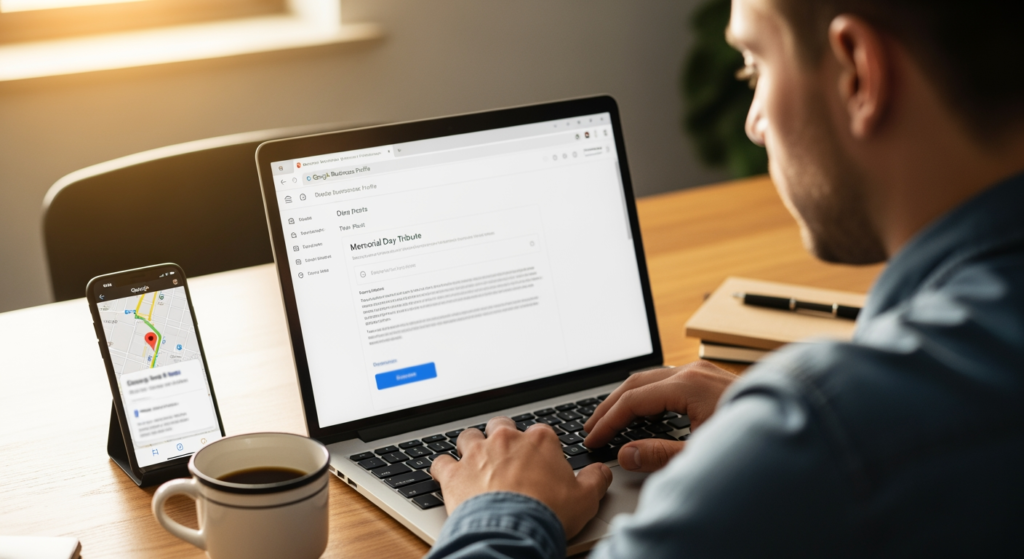
Memorial Day weekend can bring a real spike in “open now,” “near me,” and last-minute service searches—especially for local businesses running holiday hours, promotions, or limited availability. If your Google Business Profile is quiet, you’re leaving your most time-sensitive message up to chance. This guide is for small business owners and local marketers who want a practical way to use Memorial Day GBP posts to turn holiday attention into calls, bookings, and store visits (without sounding salesy or missing the tone of the day).
If you want the bigger framework behind how Google Business Profile supports local visibility, start with Understanding the Role of Google Business Profile in Local SEO Success—then use the Memorial Day-specific checklist below to execute quickly.
Bottom Line Upfront: What to Post This Week
- Publish one holiday-timed update that clearly states hours, availability, and next-step action (call, book, order, get directions).
- Keep the tone respectful—Memorial Day is not just “a sale weekend,” and your messaging should reflect that.
- Use one primary offer or focus (not five): one service, one promo, one event, or one availability message.
- Add a strong photo that matches the offer (team at work, product close-up, storefront, service in progress).
- Schedule a follow-up post for the Tuesday after the holiday to capture “back to normal” demand.
How Memorial Day Google Posts Actually Drive Inquiries
Google Business Profile posts are short updates that can appear on your Business Profile in Search and Maps. Around holidays, people often make faster decisions—checking hours, comparing options nearby, and choosing the business that answers their questions with the least friction.
A Memorial Day-focused post works best when it does three things at once:
- Sets expectations (holiday hours, closures, limited staffing, appointment-only).
- Matches intent (urgent needs, weekend projects, travel stops, family gatherings).
- Creates a clear next step (call, book, order, request a quote, get directions).
Think of it like a digital billboard that updates in real time—useful when customers are searching quickly and comparing options on a small screen.
Why Timing Matters Around Memorial Day Weekend
Holiday weekends compress decision-making. Customers don’t just want “the best option”—they want the option that’s open, available, and clear. If your profile doesn’t answer those questions, people often move on without calling.
Practical impacts of waiting until the last minute:
- Missed calls and bookings because customers assume you’re closed or booked out.
- More time spent on the phone answering repetitive questions (hours, pricing, availability).
- Inconsistent customer experience if your website says one thing and your profile implies another.
- Wasted promo momentum if the offer is unclear, expired, or missing a direct action.
Common Memorial Day Posting Mistakes (Quick Checklist)
- ☐ Treating it like any other sales holiday — Memorial Day has a different tone; keep messaging respectful and avoid gimmicky language.
- ☐ Forgetting holiday hours — If hours change, post them clearly and confirm they match your listed hours.
- ☐ Burying the offer in paragraphs — Lead with the key detail: “Open Monday 9–1” or “Book by Friday for weekend slots.”
- ☐ No call to action — A post without a next step often becomes “nice info” instead of a lead driver.
- ☐ Using low-relevance images — Generic graphics can feel disconnected; use real photos tied to the service or product.
- ☐ Posting once and disappearing — One post helps, but a second post after the holiday captures the “I’m back at work” crowd.

A Simple Action Plan for Holiday Weekend Leads
- ☐ Choose your post type: Update (hours/availability), Offer (promo), or Event (in-store/service event).
- ☐ Write a one-sentence headline that includes the main detail (hours, promo, or availability window).
- ☐ Add 2–3 scannable lines covering who it’s for, what’s included, and any constraints (dates, limited slots, exclusions).
- ☐ Pick one CTA (Call, Book, Order, Learn more, Get directions) and ensure it matches your landing experience.
- ☐ Use a relevant photo (your team, your work, your product, your storefront) with good lighting and a clear subject.
- ☐ Confirm consistency: holiday hours in GBP, your website, and voicemail/message greeting should align.
- ☐ Post schedule: publish 5–7 days before the weekend; add a reminder post 1–2 days before; publish a “we’re back” post Tuesday.
Professional Insight: What Usually Makes the Difference
In practice, we often see the best results when the post answers the customer’s first two questions immediately: “Are you open?” and “What do I do next?” When those are clear, the rest of the message can be short—and still generate real inquiries.
When It’s Smarter to Get Help With GBP Posting
- You have multiple locations and need consistent holiday messaging without mistakes.
- Your hours change often and customers regularly show up at the wrong time.
- You’re running a time-sensitive promotion and want the post, landing page, and tracking aligned.
- You’re not sure what to say without sounding overly promotional for the holiday.
- You’ve posted before but saw little impact and want a tighter strategy tied to local search intent.
Common Questions About Holiday GBP Posting
Should my holiday update be an “Offer” or an “Update”?
If the main goal is hours and availability, an Update is usually the clearest choice. If you have a specific promotion with terms and a clear end date, an Offer can be a better fit.
How far in advance should I publish a holiday post?
A practical window is about a week before the holiday weekend, with a short follow-up closer to the day. That gives customers time to plan and still catches last-minute searches.
What’s a respectful way to acknowledge Memorial Day in my message?
Keep it brief and sincere. A simple acknowledgment paired with helpful information (hours, availability, service schedule) generally reads better than heavy sales language.
Do I need a special landing page for the post?
Not always. You can link to an existing booking page, service page, or contact page—just make sure it matches the promise of the post and works well on mobile.
What should I do the week after the holiday?
Post a short “back to regular hours” or “new week availability” update, and highlight the next most relevant service or product. Many customers resume errands and projects right after the long weekend.
Taking Action Before the Weekend Hits
Memorial Day weekend is a short window where clarity wins: clear hours, clear availability, and a clear next step. If you publish a focused post ahead of time and follow up after the holiday, you give customers an easy reason to choose you while they’re already searching. Keep the tone respectful, keep the message tight, and make it simple to call, book, or visit.
Book Your Consultation
Schedule a free consultation with our experts.
