



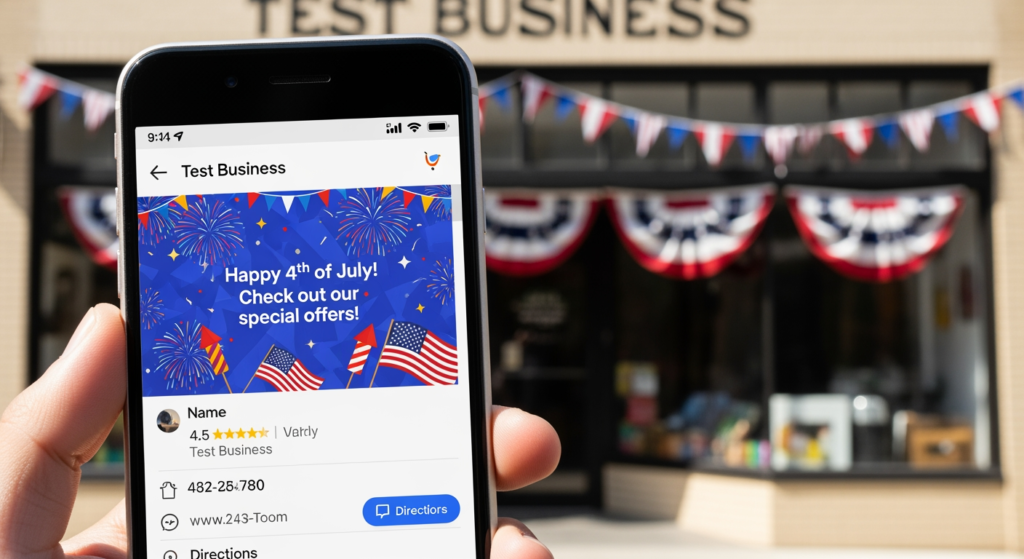
July 4 GBP posts are one of the simplest ways to stay visible when customers are actively searching for holiday hours, last-minute appointments, and “open now” options. If you’re a local business owner (or the person responsible for your Google Business Profile), this week is a high-intent moment: people are planning cookouts, travel, home projects, and emergency fixes—often on a compressed timeline. A solid post can reduce confusion, set expectations, and nudge searchers toward a call, direction request, or booking.
If you want the bigger local visibility picture beyond holiday updates, start with Understanding the Role of Google Business Profile in Local SEO Success—then use the playbook below to publish timely updates that are clear, helpful, and conversion-focused.
Bottom Line Upfront: What to Post This Week
- Post one “Holiday Hours + What’s Open” update so customers don’t guess (or bounce to a competitor).
- Use one primary action per post (Call, Book, Get directions, Order) to reduce decision friction.
- Lead with the customer question: “Are you open?” “Can I get this done before Friday?” “Do you offer emergency service?”
- Include specifics (dates, cutoffs, service area, turnaround time) instead of vague “Happy 4th!” messaging.
- Publish early, then refresh with a last-call post 24–48 hours before the holiday weekend.
How Holiday Google Business Profile Posts Actually Drive Calls
Google Business Profile posts work best when they answer a time-sensitive need and make the next step obvious. Around Independence Day, search behavior often shifts toward immediate logistics: hours, availability, specials, closures, and whether you can handle urgent requests. A well-built post acts like a mini landing page inside your profile—helping searchers decide without hunting through your website or calling “just to ask.”
For conversion, the structure matters more than the fireworks. Use a clear headline, a short “what/when” summary, and one action. If you include an offer, keep it simple and easy to understand at a glance (what it is, when it ends, and how to redeem).

The Real Cost of Skipping a July 4 Update
Not posting (or posting something vague) can create avoidable friction during a week when customers are less patient and more likely to choose the fastest option. The practical impacts usually show up as:
- Lost calls and direction requests when people can’t confirm you’re open.
- More time spent answering repetitive questions (“Are you open Friday?” “Do you close early?”).
- Lower-quality leads because expectations weren’t set (pricing, service area, cutoffs).
- Brand trust issues if your hours or availability feel unclear during a holiday week.
Common July 4 Posting Mistakes (Quick Checklist)
- Posting a greeting with no details — “Happy 4th!” doesn’t answer the customer’s real question: what can you do for me today?
- Forgetting holiday hours — if hours change, say it plainly and include the exact dates.
- Too many offers at once — multiple discounts, bundles, and conditions can reduce trust and response.
- No clear CTA — “Learn more” is fine, but “Call now” or “Book today” is often clearer for time-sensitive services.
- Using stock phrases instead of specifics — customers respond to concrete cutoffs (e.g., “Book by July 3 at 3pm”).
- Not matching the post to your real capacity — avoid promoting “same-day” if you’re already booked; promote the next available option instead.
A Smart Posting Plan for Independence Day Week
- Publish a “Holiday Hours” post 7–10 days ahead with exact open/close times and any service limitations.
- Create one “Pre-holiday deadline” post (24–72 hours before) for appointments, shipping, pickups, quotes, or installs.
- Run one simple, time-boxed offer (optional): include start/end dates and redemption steps.
- Write for skimmers: first line should state the key info (open/closed, special hours, availability).
- Use one action button per post that matches intent (Book for appointments, Call for urgent service, Directions for retail).
- Confirm consistency: your hours, website, and profile details should match (especially if you’re changing hours).
- Prep a “We’re back” post for the first business day after the holiday to capture pent-up demand.

Professional Insight: What Most Businesses Miss in Holiday Posts
In practice, we often see businesses treat holiday posting like branding (“be festive”) when customers are actually in logistics mode (“can you help me, and are you open?”). The posts that tend to perform better are the ones that read like a helpful front-desk message: clear hours, clear availability, clear next step—no guessing required.
When It’s Time to Get Help With Your GBP Content
- Your hours change often and you’ve had customers show up at the wrong time.
- You’re not sure what to post beyond greetings, and posts aren’t leading to calls or bookings.
- Multiple locations or service areas make it hard to keep messaging consistent.
- You’re running seasonal promos and want posts aligned with your website content and tracking.
- You need a repeatable monthly system instead of scrambling for every holiday and event.
Your Questions, Answered: Holiday Posting on GBP
How far in advance should I publish an Independence Day update?
For most local businesses, publishing 7–10 days ahead gives customers time to plan, and adding a short reminder 24–48 hours before helps capture last-minute searches.
Should I post holiday hours even if they don’t change?
Yes, it can reduce uncertainty. If your schedule is normal, say so clearly (for example, “Open regular hours on July 4”) so customers don’t assume you’re closed.
What should I include if I’m closed for the holiday weekend?
Share the closure dates, when you reopen, and what customers can do in the meantime (online booking for the next available slot, leaving a voicemail, submitting a form, or ordering online if applicable).
Do offers work better than informational updates?
They can, but only when the offer is simple and relevant. Around holidays, informational posts (hours, availability, deadlines) often help conversions because they remove friction for ready-to-buy searchers.
What’s the simplest format for a high-performing holiday post?
Use a short headline, one sentence that states hours/availability, one sentence with a deadline or key detail, and a single action (call, book, directions, or order).
Taking Action Before the Fireworks Start
Holiday weeks reward clarity. If you publish timely updates, confirm your hours, and keep each post focused on one action, you make it easier for customers to choose you when they’re searching fast. Start with one hours post, add a deadline reminder, and finish with a “we’re back” update after the holiday. Keep it specific, keep it accurate, and keep it easy to act on.
Book Your Consultation
Schedule a free consultation with our experts.
