




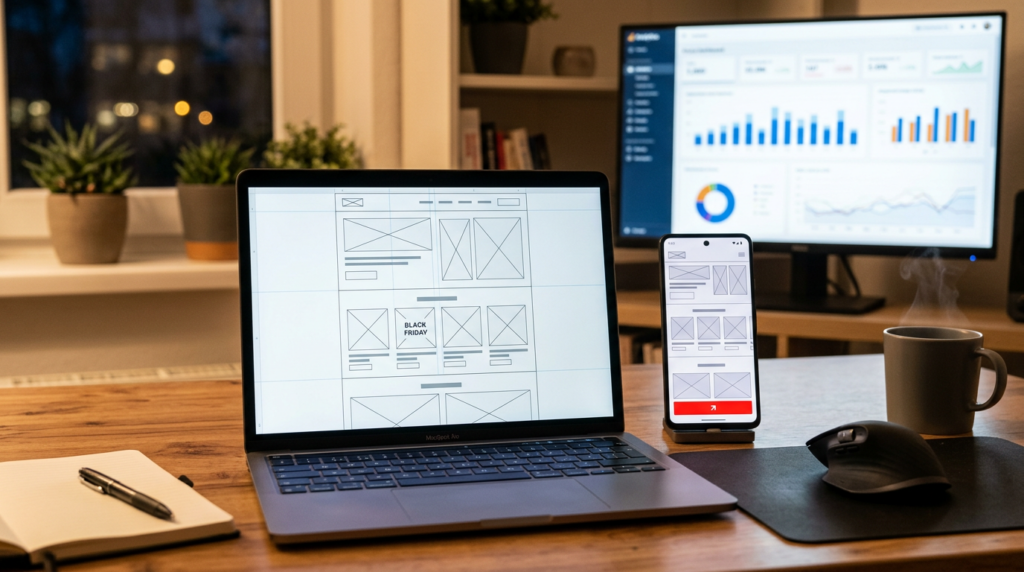
Black Friday campaigns can fail for one boring reason: the landing page is hard for search engines (and humans) to understand. If you’re a local business owner, marketer, or web designer building seasonal promos, you want pages that load fast, match search intent, and make it easy to buy, book, or call. This matters because holiday traffic is high-intent and impatient—people compare options quickly and bounce even faster. As fall rolls in and shoppers start planning purchases earlier, a clean SEO-and-conversion setup can help you capture demand without turning your website into a pop-up haunted house.
If you want help planning the page structure, technical setup, and content that supports long-term visibility, Bipper Media shares practical resources and services for small businesses on its website design team page.
Bottom Line Upfront: What to Build and Why
- Create one primary promo URL and keep it stable year to year; update content instead of launching a brand-new slug every time.
- Match the page to search intent: deal seekers want clear offers, categories, and terms—not a brand story novella.
- Prioritize speed and mobile UX because most seasonal clicks come from phones and impatient thumbs.
- Use clean on-page signals (title tag, H1, internal section headings, product/category blocks) so Google can index the offer correctly.
- Prevent duplicate and thin pages by consolidating overlapping promos and using canonical tags where needed.
- Plan the post-event path: don’t 404 the page—transition it to “deals ended” plus evergreen alternatives.
How Black Friday Landing Page SEO Works (Plain English)
SEO for a seasonal promo page is mostly about clarity and crawlability. Search engines look for signals that answer: “What is this page about, who is it for, and is it useful?” For a holiday promotion, those signals come from your page topic (offer + product/service), your supporting content (categories, FAQs, terms), and your technical setup (indexing, speed, mobile layout).
Unlike a blog post, a promo page has one job: drive a specific action. That means you’re balancing two forces that sometimes argue like siblings in the back seat: (1) enough text and structure to be understood by search engines, and (2) a clean, frictionless experience that gets conversions.
A practical approach is to build a single “campaign hub” page, then add sections for top categories, best sellers, or service bundles. If you need multiple variations (for example, different cities or service lines), you’ll want to control duplication so you don’t end up with ten pages that look identical except for a swapped headline.

The Real Business Impact: Traffic Is Only Half the Win
A seasonal landing page can bring in clicks, but the real impact shows up in what happens after the click. If the page is slow, confusing, or missing key details, you’ll pay for that in lost sales, more support calls (“Is this deal real?”), and wasted ad spend if you’re also running paid campaigns.
Here’s what’s typically at stake:
- Time cost: Launching last-minute often leads to messy URLs, duplicate pages, and rushed copy that needs cleanup later.
- Conversion cost: A page that hides prices, terms, or inventory details can increase abandonment—especially on mobile.
- SEO opportunity cost: If you delete the page after the event, you throw away any authority it earned and start from zero next year.
- Brand trust: Overly aggressive popups, unclear exclusions, or bait-and-switch vibes can reduce repeat business.
Common Black Friday Landing Page Mistakes (Quick Checklist)
- Spinning up a new URL every year instead of updating a consistent campaign page that can build history.
- Using a hero image with no supporting context; if the offer is only “in the graphic,” search engines and screen readers don’t benefit.
- Keyword stuffing in headings and copy; it reads poorly and can dilute the page’s message.
- Publishing multiple near-identical promo pages for small variations, creating duplication and internal competition.
- Forgetting basic on-page SEO like a descriptive title tag, a single clear H1, and scannable subheadings.
- Slow pages from heavy scripts (multiple trackers, chat widgets, sliders, autoplay video) piled on at the worst possible time.
- Unclear terms (dates, exclusions, limits, availability), which triggers hesitation and support tickets.
- No post-event plan, leading to a 404 or redirecting everyone to the homepage with no context.
A Smart Build Plan for High-Intent Promo Pages
- Pick one primary URL (example pattern: /black-friday/ or /holiday-deals/) and keep it year-round; update the content seasonally.
- Write a plain, specific H1 that states the offer and what’s included (products, services, or categories).
- Use a tight above-the-fold block: offer summary, primary CTA, and 2–4 trust cues (shipping info, warranty, service area, reviews snippet—only if you can display it accurately).
- Add category tiles or service bundles so users can self-select fast (e.g., “Top Sellers,” “Gifts Under $50,” “Emergency Service Packages”).
- Include a short ‘Details’ section with eligibility, limits, redemption steps, and contact options.
- Optimize title tag and meta description for clarity: deal + brand + location/service focus where relevant.
- Keep content indexable: avoid hiding critical copy behind tabs that require heavy scripts; keep core details in HTML.
- Use internal navigation within the page (jump links) for long pages so mobile users can reach categories quickly.
- Check Core Web Vitals basics: compress images, minimize third-party scripts, and avoid layout shifts from late-loading banners.
- Set a post-event mode: swap CTAs to “Join the list,” “See current specials,” or “Request a quote,” and keep the URL live.
Pre-Launch Checklist (Measurable Targets + Simple QA)
- Core Web Vitals targets (mobile): LCP ≤ 2.5s, CLS ≤ 0.10, INP ≤ 200ms (good thresholds in Google’s guidance).
- Script budget: keep third-party scripts to 5 or fewer on the promo URL (analytics + tag manager + one call tracking tool + one chat tool adds up fast). If you must add more, load non-critical scripts after interaction.
- Image compression: hero image < 200KB when possible; other images < 100KB. Use modern formats (WebP/AVIF), set width/height attributes, and lazy-load below-the-fold images.
- Font & layout stability: preload critical fonts, limit font families/weights, and reserve space for banners so the page doesn’t jump (CLS).
- Above-the-fold clarity: H1 + offer summary + primary CTA visible without scrolling on a typical phone viewport (no “mystery meat” hero).
- Indexability: confirm the URL returns 200, is not blocked by robots.txt, and does not have a noindex tag.
- Canonical: set a self-referencing canonical on the primary promo URL; if you create variants (UTM links, filtered views, city versions), ensure canonicals point to the correct “main” version.
- Internal links: add at least 3–5 internal links from relevant high-traffic pages (homepage, category/service pages, nav banner) to the promo URL, using descriptive anchor text.
- Tracking QA: verify pageview + primary conversion events (form submit, call click, checkout) fire once, and UTMs don’t break canonicals or create indexable duplicates.
- Post-event mode ready: pre-write the “sale ended” block and decide the switch date/time. Keep the URL live and update content instead of deleting the page.
Quick QA sequence (10 minutes): open the URL on mobile → run a Lighthouse/PageSpeed check → view source to confirm key offer text is in HTML → check robots/noindex/canonical → click internal links to/from the promo page → test the primary CTA and conversion tracking → switch to a “post-event” preview state (or staging) to confirm the page won’t break after the deadline.

Professional Insight: The Pages That Win Don’t Try to Do Everything
Seasonal pages commonly underperform when they try to carry too many jobs at once—brand story, every product, every pop-up, every widget, every offer variation—without a clear hierarchy. A stronger pattern is simple: one primary promise, a few obvious paths (categories/bundles), and a short “details/terms” section that removes doubt fast. That structure helps both SEO (clear topic signals) and UX (less hunting for fine print), without turning the page into a cluttered catch-all.
Mini Example (From Bipper Media Evidence): Build an Indexable “Hub” You Can Reuse
Bipper Media has an HVAC client (Billy Butler) with 58 published Q&A answer pages live via its Answer Engine. That’s a different page type than a Black Friday promo, but the strategy transfers: build a scalable, indexable hub that can be updated and expanded over time. For seasonal promos, the equivalent is keeping one stable campaign URL and adding clearly-labeled sections (top categories, FAQs, terms, alternatives) so the page can accumulate history instead of resetting every year.
When It’s Time to Bring in a Pro
- You have multiple locations or service areas and you’re not sure whether to use one campaign hub, location variations, or supporting city pages.
- Your site gets slow under load during promotions, or your mobile experience feels clunky.
- You’ve run promos before and saw traffic but low sales, suggesting a message/UX mismatch rather than a visibility problem.
- You’re dealing with duplicate pages, confusing redirects, or old promo URLs that keep resurfacing in search.
- You need tracking you can trust (events, conversions, call clicks) without turning the page into a script-heavy mess.
Frequently Asked Questions About Seasonal Promo Pages
Should I keep my holiday promotion URL live after the sale ends?
Usually, yes. A live URL can retain history and links, and you can switch the content to a “promotion ended” message with alternative offers or an email signup. Avoid leaving a dead page or a confusing redirect with no context.
How much copy does a deal page need to rank?
There’s no universal word count. Aim for enough text to clearly explain the offer, what’s included, and the terms. If users still have obvious questions after scanning, add concise sections that answer them.
Can I run multiple promo pages for different products?
You can, but be careful with duplication. If pages are too similar, they may compete with each other and dilute relevance. A common approach is one main campaign page with sections for categories, plus a few truly distinct pages for major product lines.
Do I need schema markup on a promotion page?
Schema can help search engines understand page context, but it needs to match what’s actually on the page. If you add structured data, keep it accurate and avoid marking up offers you can’t fulfill or details you don’t display.
What’s the best way to handle “out of stock” items during a big sale?
Remove or de-emphasize unavailable items and provide close alternatives. If inventory changes quickly, focus the landing page on categories, bundles, or services that are less likely to disappear mid-campaign.
Taking Action Before the Rush Hits
A strong promo page is built on a stable URL, clear on-page signals, and a fast mobile experience that makes buying easy. Keep the message simple, reduce clutter, and make terms obvious so visitors don’t hesitate. Treat the page like an annual asset you improve each season instead of a disposable one-week project.
Learn More About Our Services
If you already have a promo URL (or a draft), Bipper Media can do a quick review focused on Black Friday readiness: indexability (robots/noindex), canonicals, internal linking, and speed/script bloat—plus a short list of fixes to ship before launch.
