



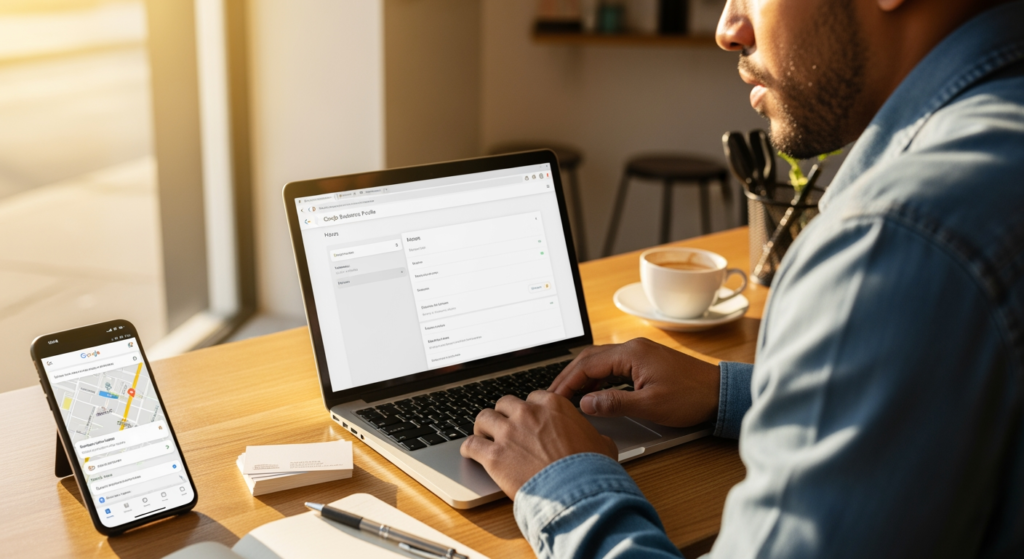
Summer brings longer days, more last-minute plans, and a spike in “Where can I go right now?” decisions. If your business isn’t showing up when people filter for places that are currently open, you can miss high-intent customers who are ready to call, drive, or book. This guide is for local business owners and managers who want to improve visibility for time-sensitive searches—without guessing what Google “might” do next.
We’ll walk through what influences “open” visibility, how to tighten up your hours and local signals, and what to do before seasonal traffic peaks (weekends, holidays, events, and travel season). If you want a broader foundation first, start with Understanding Local SEO for Small Business Growth in 2024.
Bottom Line Upfront: “Open Now” Visibility
- Accurate hours are non-negotiable: Your Google Business Profile (GBP) hours, special hours, and website hours should match.
- Open-now searches are intent-heavy: These users often choose from the closest, most trusted options with clear info.
- Consistency across the web helps: If directories disagree on your hours or phone number, it can create confusion for customers and platforms.
- Seasonal updates matter: Holidays, summer Fridays, and event weekends should be reflected in advance.
- Website + GBP work together: Clear location pages, prominent contact info, and fast mobile experience support local performance.
How “Open Now” Search Results Actually Get Chosen
“Open now” results typically rely on real-time eligibility (your listed hours) plus local relevance signals (what you offer, where you are, and how well your business information matches the search). In practical terms, platforms need confidence that you’re (1) nearby, (2) relevant, and (3) truly open at the moment the search happens.
That confidence is built from a few places working together: your Google Business Profile hours (including special hours), your website’s visible hours and contact details, and third-party listings (directories, data sources, and apps) that repeat your business information consistently. If any of those sources conflict—especially around hours—your listing may be less competitive for time-sensitive filters.

The Real Cost of Getting Hours Wrong in Peak Season
In summer, customers often search while they’re already in motion—between errands, during travel, or right before meeting friends. If your hours are wrong (or missing special hours), the impact can be immediate: fewer calls, fewer direction requests, and more “bounce” behavior when someone taps a competitor that looks reliably open.
There’s also an operational cost. Incorrect hours can lead to frustrated customers, negative reviews about availability, and staff time spent answering “Are you open?” messages that should have been answered by your listing. None of this guarantees a ranking drop, but it does increase friction—exactly what “open now” searchers are trying to avoid.
Common “Open Now” SEO Mistakes (Quick Checklist)
- Leaving holiday hours blank: If you close early for July events or holiday weekends, add special hours ahead of time.
- Publishing different hours on your website vs. GBP: Conflicting info can confuse customers and weaken trust signals.
- Forgetting seasonal schedule changes: Summer hours, extended evenings, or weekend shifts should be updated everywhere.
- Using vague language like “Open late”: List specific times so customers (and platforms) can interpret your availability.
- Ignoring duplicate listings: Old profiles can display outdated hours and siphon attention.
- Not monitoring edits: Public suggestions or accidental changes can alter your hours without you noticing.
Your Summer Action Plan for Time-Sensitive Local Searches
- Audit your GBP hours today: Confirm regular hours, then add special hours for holidays, events, and planned closures.
- Match hours across your site: Put hours in a consistent location (footer + contact page), and keep them identical to GBP.
- Standardize your NAP: Ensure your business name, address, and phone number are consistent across major directories.
- Strengthen your “call and go” experience: Make your phone number tap-to-call on mobile and keep directions one click away.
- Use service and category clarity: Confirm your primary category and key services are accurately represented in GBP.
- Create a seasonal update routine: Set a calendar reminder 2–3 weeks before major holidays and local events to verify hours.
- Track customer feedback themes: If reviews mention “closed when it said open,” treat it as a data-quality emergency.

Professional Insight: What Most Businesses Miss
In practice, we often see businesses focus on adding more content or chasing new keywords while a simpler issue is holding them back: their hours and listings aren’t synchronized across platforms. Fixing that doesn’t guarantee top placement, but it frequently removes friction that stops you from competing in “right now” moments—especially during seasonal schedule changes.
When DIY Fixes Aren’t Enough
Consider getting professional support if any of these are true:
- You have multiple locations: Hours management becomes harder, and mistakes scale quickly.
- You’ve found duplicates or old addresses: Cleaning up conflicting listings can be time-consuming and easy to miss.
- Your hours change often: Restaurants, gyms, clinics, and service businesses with seasonal schedules benefit from a process.
- Customers complain about being misled: Reviews mentioning incorrect hours should be addressed immediately.
- You can’t verify what’s “live” across directories: If different apps show different hours, you likely need a broader citation and data audit.
Common Questions Answered
Do special hours matter for holiday weekends?
Yes. If you’ll be closed, closing early, or extending hours, adding special hours helps customers avoid wasted trips and reduces confusion across listings.
How often should I review my business hours online?
A practical cadence is monthly, plus an extra check 2–3 weeks before major holidays, local events, or any seasonal schedule shift.
Can inconsistent directory listings affect local visibility?
They can. Conflicting business info (including hours) can create customer friction and make it harder for platforms to trust what’s accurate.
Should my website display hours in more than one place?
It’s usually helpful to show hours in a consistent, easy-to-find spot (like the footer) and on your contact page, as long as the information stays synchronized.
Is it worth updating hours for one-off events?
If the change affects customers’ ability to visit or call, it’s worth updating. One-off closures and early closings are common sources of negative feedback.
Taking Action
“Open now” searches reward clarity: accurate hours, consistent listings, and a fast path to call or directions. Summer is an ideal time to tighten this up because customers are more mobile and schedules change more often. Start by syncing GBP and website hours, then work outward to directories and duplicates. A few clean updates can reduce confusion and help you compete for high-intent, time-sensitive searches.
Book Your Consultation
Schedule a free consultation with our experts.
