



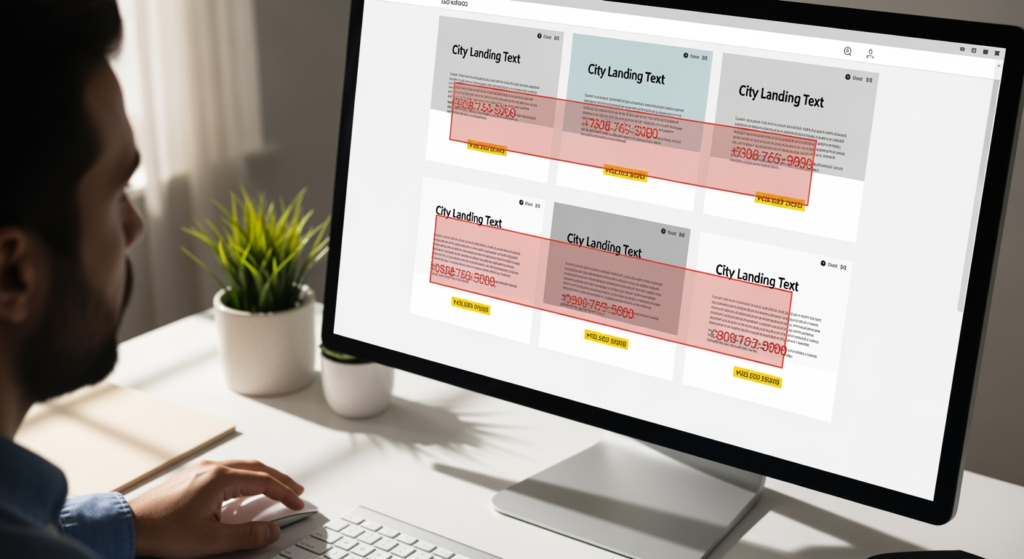
Local landing pages are supposed to make it easy for nearby customers to choose you—fast. But a handful of common local landing page mistakes can quietly tank your visibility, confuse visitors, and turn “ready-to-book” traffic into “back-button” traffic. If you’re a local service business, multi-location brand, or small business owner trying to show up in search and convert website visits into calls, these warning signs matter because they affect both trust and performance. The good news: most issues are fixable without rebuilding your entire site.
If you want a refresher on the bigger picture of how local visibility works, start with Understanding the Importance of Local SEO for Business Visibility—then use the checklist below to pressure-test each location page like a customer (and a search engine) would.
Quick facts: the fixes that move the needle
- One page, one location, one purpose: Make it obvious where you serve and what you want the visitor to do next.
- Consistent business details: Keep your name, address, phone, and hours aligned with your Google Business Profile and key listings.
- Unique, helpful content: Avoid copy-paste pages; add location-specific proof, FAQs, and service details.
- Fast, mobile-first design: Most local intent happens on phones—speed and tap-friendly layout matter.
- Clear conversion path: Prominent calls, forms, and trust signals should appear before a visitor has to hunt.
How a strong local landing page is supposed to work
A local landing page is a dedicated page that matches a specific service to a specific place—so a visitor can immediately confirm, “Yes, they serve my area,” and take action. For search engines, it clarifies relevance (what you do) and locality (where you do it). For humans, it reduces friction by answering the big questions quickly: services, service area, pricing approach (if you share it), hours, contact options, and why you’re credible.
When the page is built well, it acts like a 24/7 digital storefront: it reassures first-time visitors, supports your local SEO efforts, and creates a clean path to call, request a quote, or schedule.

The real-world cost of ignoring these warning signs
Local pages don’t usually “fail loudly.” They fail quietly—through low conversions, weak engagement, or mismatched expectations. That can mean more time spent answering basic questions, more price shoppers bouncing, and fewer qualified leads even when you’re getting impressions.
- Time cost: You’ll spend more time chasing leads that weren’t a fit because the page didn’t set expectations.
- Opportunity cost: Nearby customers may choose a competitor whose page makes the next step clearer.
- Trust cost: Inconsistent contact info or vague service areas can look sloppy—even if your work is excellent.
- SEO drag: Thin or duplicated location pages can dilute topical focus across your site.
Red flags that signal your page is underperforming (checklist)
- Copy-pasted content across multiple cities: If every location page reads the same with only the city swapped, it’s a relevance and credibility problem.
What to do: Add unique service details, local testimonials (when available), neighborhood/service-area specifics, and distinct FAQs per page. - Unclear service area boundaries: “Serving the greater area” is vague; visitors want to know if you’ll actually come to them.
What to do: List core cities/zip codes you serve, note travel limits, and clarify if you charge travel fees (only if that’s your policy). - Inconsistent NAP (name, address, phone): A different phone number than your GBP or directories can create confusion.
What to do: Standardize your business details across the site and confirm the same format is used on key listings. - Hidden or weak calls-to-action: If the phone number is only in the footer, you’re making visitors work too hard.
What to do: Place a primary CTA near the top, repeat it after key sections, and ensure phone/email are tap-to-call/tap-to-email on mobile. - Mobile layout that fights thumbs: Tiny buttons, cramped forms, or popups that cover the screen are conversion killers.
What to do: Use larger tap targets, short forms, readable font sizes, and keep key info visible without excessive scrolling. - Slow load time from heavy media: Huge images, sliders, and third-party scripts can delay the first meaningful view.
What to do: Compress images, remove unnecessary sliders, and audit plugins/scripts that don’t directly support conversions. - No proof you’re a real local option: A page with zero reviews, photos, licenses, or “what to expect” details can feel risky.
What to do: Add testimonials (when you have permission), before/after galleries (where appropriate), certifications, and a short “how it works” section. - Mismatch between page promise and what happens next: If your headline says “Same-day service” but your form response takes days, trust erodes.
What to do: Align page messaging with your actual process and response times. Under-promise, over-deliver. - Location page exists… but isn’t connected: Orphan pages (not linked from navigation or internal sections) are easy to miss.
What to do: Link to location pages from relevant service pages, a locations hub (if you have one), and contextual sections where it makes sense.
A practical action plan to clean up location pages fast
- Rewrite the top section (above the fold): State the service + location, add a short value statement, and place a primary CTA.
- Add a “Service Area” block: Include specific cities/areas and any boundaries or travel notes you’re comfortable publishing.
- Build a simple trust stack: Reviews, credentials, years in business (if accurate), guarantees only if you truly offer them.
- Create unique on-page FAQs per location: Focus on questions locals actually ask: parking, arrival windows, emergency options, neighborhood coverage.
- Make contact frictionless: Tap-to-call phone, short form, clear hours, and a backup contact method.
- Optimize images intentionally: Use a few relevant photos, properly sized and compressed, with descriptive filenames and alt text.
- QA on mobile: Test the page on a real phone over cellular data, not just desktop Wi-Fi.

Professional insight: the “looks fine” trap
In practice, we often see pages that look great visually but still underperform because they don’t answer local-intent questions quickly enough—especially on mobile. The design is polished, but the essentials (service area clarity, trust proof, and a clear next step) are buried under banners, long intros, or generic copy. Small structural changes usually make the page feel more “obvious,” which is exactly what a ready-to-hire visitor wants.
When DIY fixes aren’t enough
It’s time to bring in professional help if you notice any of the following:
- You have multiple locations and pages are competing: Rankings and leads feel inconsistent and you can’t tell which page should win.
- Your business info is inconsistent across the web: You’re seeing different phone numbers/addresses in different places and it’s hard to unwind.
- Traffic is coming in but leads are not: The page gets visits, yet calls and form submissions stay flat.
- You suspect technical issues: Indexing problems, broken internal links, or template issues affecting many pages at once.
- You need a scalable template: You’re adding new service areas and want a repeatable approach without duplicate-content problems.
Frequently asked questions about location landing pages
How many location pages should a small business have?
Create pages for real service areas you actively cover and can support operationally. If you can’t realistically serve an area (or don’t want to), a page for it can create customer frustration and mixed signals.
Is it okay to use the same text on every city page?
Reusing a basic structure is fine, but the main copy should be meaningfully different. Add location-specific details like service boundaries, common requests, testimonials (with permission), and tailored FAQs.
What should be above the fold on a local page?
A clear headline (service + area), a short value statement, and an obvious way to contact you (call or form). Visitors should not have to scroll to figure out if you serve them.
Do I need a map on every location page?
Not always. A map can help some users, but clarity matters more: list the areas you serve and keep your contact details consistent. If you add a map, make sure it doesn’t slow the page down.
Why does my page get views but no calls?
Common causes include weak or hidden CTAs, slow mobile performance, unclear service area, or missing trust signals. A quick mobile-first audit often reveals the friction points.
Taking action without overhauling your whole site
Most location-page issues come down to clarity, consistency, and conversion flow—not flashy design tricks. Fix the basics first: unique local content, accurate business details, mobile usability, and a clear next step. Once those are solid, you can iterate with better FAQs, stronger proof, and tighter internal structure over time.
Ready to Get Started?
Our team is here to help. Give us a call to discuss your needs.
