



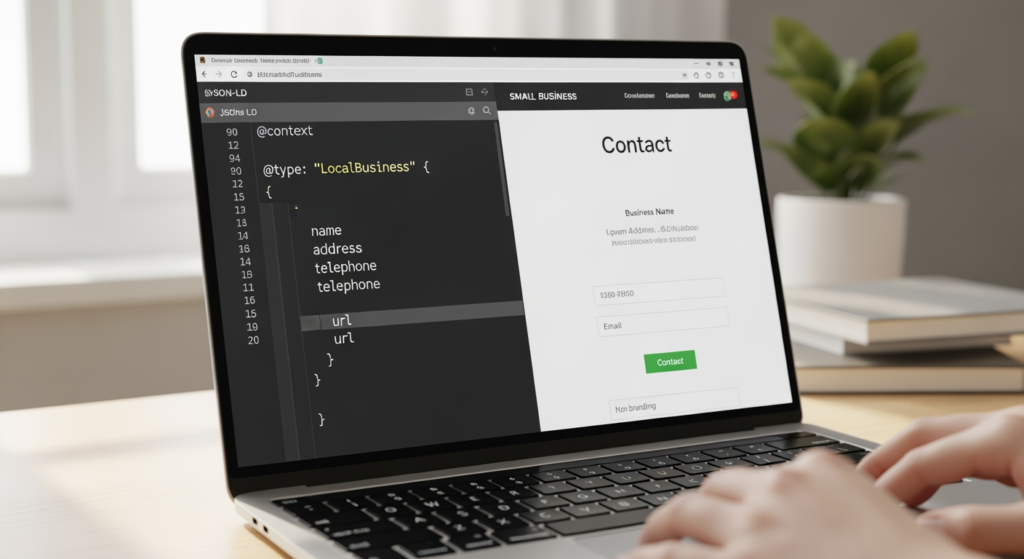
Local SEO can feel confusing when you’ve done “the basics” (a website, a Google Business Profile, maybe a few directories) and you still aren’t sure what search engines actually understand about your business. If you’ve ever wondered why Google shows the wrong hours, mixes up your services, or doesn’t connect your site to your location, you’re not alone. LocalBusiness schema markup is one of the cleanest ways to give search engines structured, machine-readable details about who you are, what you do, and where you operate.
This guide is for small business owners and beginners who want a practical explanation—without the developer jargon. If you want a stronger foundation for local visibility, this pairs well with Understanding the Role of Google Business Profile in Local SEO Success.
Bottom Line Upfront: What LocalBusiness Schema Does
- It’s structured data you add to your website so search engines can read your business details more consistently.
- It supports local SEO clarity by reinforcing your name, address, phone, hours, and services in a standardized format.
- It doesn’t “force rankings,” but it can reduce confusion and improve how your business information is interpreted.
- It works best when it matches reality—your website, Google Business Profile, and directories should all align.
- Most businesses only need the basics (NAP, hours, location, website, and a few key attributes) to start.
How LocalBusiness Structured Data Actually Works
Schema markup is a vocabulary (a standardized set of labels) that helps search engines understand what’s on a page. Instead of a search engine guessing whether “Athens” is your service area, your city, or part of your company name, schema gives it a clear label.
LocalBusiness is a schema type designed for organizations that serve customers locally—like plumbers, dentists, restaurants, salons, and retailers. When you add this structured data (commonly in a format called JSON-LD) to your site, you’re essentially providing a “business data card” that search engines can parse reliably.
Beginner-friendly translation: schema doesn’t replace good content. It organizes key facts so Google and other systems don’t have to guess.

The Real-World Payoff for Local Visibility
If your business information is inconsistent online, you can end up with problems that look like “SEO issues” but are really “data clarity issues.” Schema markup can help reinforce the facts you want search engines to trust.
- Time: A basic implementation can be straightforward, but cleaning up mismatched business info across platforms can take longer.
- Cost: You can implement it DIY, but mistakes (wrong business type, incorrect address formatting, outdated hours) can create ongoing confusion.
- Outcomes: The main benefit is clearer understanding of your business details—results vary, and it’s not a guaranteed ranking boost.
- Consistency: If your site says one thing and your listings say another, schema won’t “override” that conflict—it may highlight it.
Common LocalBusiness Markup Mistakes (Checklist)
- Using the wrong business category/type: Picking a type that doesn’t match what you do can send mixed signals.
- Adding an address when you don’t serve customers there: Service-area businesses should be careful about how location data is presented.
- NAP mismatches: If your name, address, or phone differs from your Google Business Profile, you’re baking inconsistency into your site.
- Outdated hours: Holiday hours and seasonal changes are easy to forget—and schema that’s wrong is still wrong.
- Copy-pasting schema without tailoring it: Generic templates often include fields you shouldn’t use or omit fields you need.
- Duplicating conflicting schema: Multiple plugins or themes can output overlapping structured data that disagrees with itself.
A Simple Setup Plan You Can Follow
- Confirm your canonical business details: Decide the exact formatting for your business name, address, and main phone number.
- Make your website match those details: Put the same NAP in the footer and/or contact page (and keep it consistent sitewide).
- Choose the most accurate LocalBusiness subtype: Use the closest match (for example, Restaurant, Dentist, or PlumbingContractor when appropriate).
- Add core properties first: name, telephone, url, address, openingHours (or openingHoursSpecification), and sameAs (only for official profiles).
- Use JSON-LD in one place: Place it in the site header or on the most relevant page (often the homepage) to reduce duplication.
- Coordinate with your Google Business Profile: Ensure categories, hours, and address/service area align across both.
- Document ownership: Keep a simple record of where schema is added (plugin, theme, tag manager) so it’s easy to update later.

Professional Insight: The “Conflicting Signals” Problem
In practice, we often see schema added with good intentions—but it’s pulling outdated details from a plugin, while the contact page shows a newer phone number and the Google Business Profile shows a different suite number. Search engines are then stuck choosing between competing versions of the truth. Cleaning up the consistency first usually makes the structured data far more useful.
When DIY Schema Stops Being the Smart Move
It’s time to get professional help if any of the situations below apply:
- You have multiple locations and aren’t sure whether to use separate pages, separate schema blocks, or both.
- You’re a service-area business and need to avoid publishing an address that creates customer confusion.
- Your site uses multiple plugins that may be outputting duplicate structured data.
- Your business details have changed (move, rebrand, new phone number) and old info keeps showing up online.
- You want to connect related schema (like services, reviews, or FAQs) but aren’t sure what’s compliant or appropriate.
Common Questions About Schema for Local Businesses
Do I need coding skills to add structured data?
Not always. Many sites can add JSON-LD using a plugin or a simple code insert. The key is ensuring the information is accurate and not duplicated by other tools.
Will structured data automatically improve my rankings?
It can help search engines interpret your business information, but it’s not a guaranteed ranking increase. Local visibility depends on many factors, including relevance, distance, and prominence.
Should I put business info markup on every page?
Usually, one well-implemented block on the most relevant page (often the homepage) is enough. Repeating it everywhere can create duplication issues if anything becomes inconsistent.
What if my business doesn’t have a storefront?
You can still use business structured data, but you should be careful about how you present location information. If customers don’t visit your address, your site should reflect that reality clearly.
How do I keep it updated over time?
Create a single “source of truth” for your business details, then update your website, Google Business Profile, and key directories at the same time whenever something changes.
Where to Go from Here
LocalBusiness schema is one of the most practical ways to make your website easier for search engines to understand—especially when your business details are consistent everywhere online. Start small: confirm your core business info, add a clean JSON-LD block, and avoid duplicated or conflicting markup. Over time, maintaining accuracy matters more than adding every possible field. If you’re not sure what your site is currently outputting, a quick review can prevent months of quiet confusion.
Learn More About Our Services
Discover how we can help you achieve your goals.
