



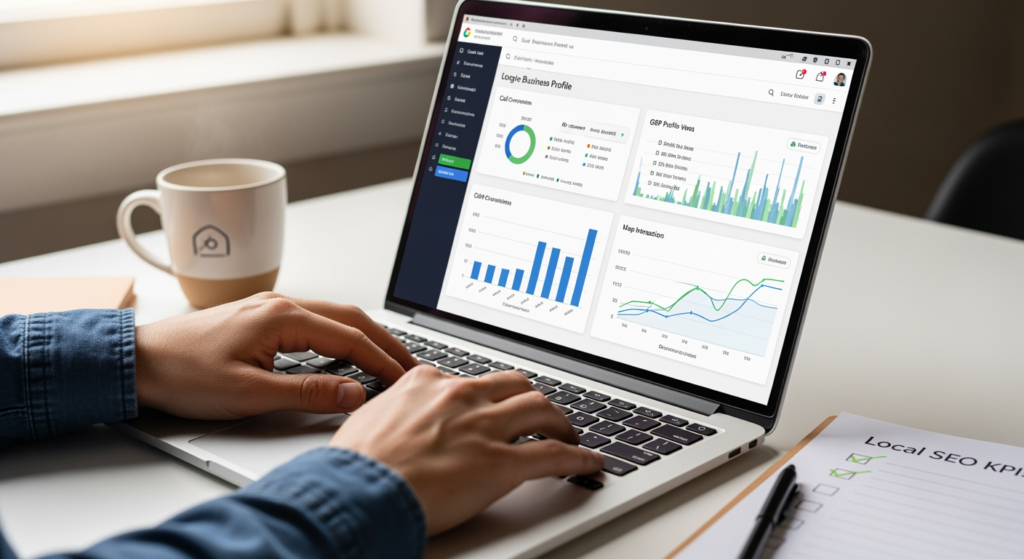
Building a dashboard for local SEO reporting can feel like trying to assemble IKEA furniture with three missing screws: you know it’s possible, but you’re not sure what “done” looks like. If you’re a local business owner, marketer, or web designer supporting local clients, a clear dashboard matters because it turns scattered data (Maps visibility, reviews, rankings, calls) into decisions you can actually make. The goal isn’t to drown in charts—it’s to prove what’s working, catch problems early, and prioritize the next best move.
This guide walks you through what to track, how to structure a dashboard, and how to keep it trustworthy over time. If you want deeper context on how local optimization fits together, start with Understanding the Role of Google Business Profile in Local SEO Success.
Bottom Line Upfront: What Your Dashboard Must Do
- Answer one question fast: “Are we gaining local visibility and leads in the areas we serve?”
- Separate outcomes from inputs: track leads and conversions alongside the work that drives them (content, listings, reviews).
- Use consistent time windows: compare month-over-month and year-over-year where possible to reduce seasonality confusion.
- Report by location and service area: a single blended view can hide real wins (or problems) in specific neighborhoods/cities.
- Document definitions: every metric should have a plain-English meaning so stakeholders don’t interpret it 12 different ways.
How a Local SEO Dashboard Works (In Plain English)
A reporting dashboard is a single place where your most important local performance signals update on a schedule (daily/weekly/monthly). Instead of manually pulling screenshots from multiple tools, you connect data sources—like Google Business Profile performance exports, Google Search Console, Google Analytics, and call/form tracking—then visualize the metrics that matter.
The dashboard should do three jobs:
- Show progress: visibility and engagement trends over time.
- Explain drivers: what likely caused changes (reviews, listing accuracy, new pages, content updates).
- Enable action: highlight what to fix next (e.g., drop in calls, review velocity slowing, listing inconsistencies).
Think of it like a car dashboard: you don’t need a live feed of every sensor; you need the handful of gauges that keep you on the road and out of the repair shop.

The Real-World Impact of Good Reporting (Time, Budget, and Trust)
When reporting is unclear, teams often spend more time debating the numbers than improving performance. A clean dashboard reduces “status meeting churn,” helps you justify priorities (like fixing listings or improving service pages), and can prevent wasted spend on tactics that don’t move the needle locally.
Practical implications you’ll usually see:
- Time: fewer manual reports and fewer ad-hoc “can you pull this real quick?” requests.
- Budget: better clarity on which locations/services deserve more content, citations cleanup, or page improvements.
- Risk control: faster detection of issues like tracking breaking, sudden review drops, or listing changes.
- Stakeholder confidence: consistent definitions and visuals reduce miscommunication about what SEO is (and isn’t) doing.
Common Dashboard Mistakes (Checklist)
- Mixing branded and non-branded queries without labeling: branded gains can mask weak “near me” or service discovery performance.
- Reporting only rankings: rankings without calls, direction requests, form fills, or booked jobs can be misleading.
- No location segmentation: multi-location businesses need per-location views or you’ll miss underperforming branches.
- Inconsistent date ranges: comparing 28 days to a calendar month creates phantom “growth” or “declines.”
- Too many metrics: if everything is highlighted, nothing is prioritized.
- Unverified tracking setup: dashboards can look “professional” while quietly reporting incomplete data.
- No annotations: algorithm updates, website changes, or GBP edits should be logged so spikes/dips have context.
Your Step-by-Step Setup Plan (Checklist)
- Define your dashboard audience: owner/operator, marketing manager, or agency team—each needs different detail.
- Choose your KPIs (start with 8–12): pick a small set you will actually review monthly.
- Standardize time comparisons: set default views for MoM and YoY (when possible).
- Connect core data sources: website analytics, Search Console, GBP performance exports (or equivalent), and conversion tracking.
- Set up conversion events: forms, calls, appointment clicks, quote requests—whatever “a lead” means for the business.
- Build a dashboard structure:
- Executive Summary: leads, top visibility trends, key wins, key issues.
- Local Visibility: impressions/clicks by query theme, pages, and location intent.
- Google Business Profile Engagement: calls, website clicks, direction requests, photo views (if available).
- Reputation: review count, rating trend, review velocity, response rate.
- Technical & Listings Health: tracking status, NAP consistency notes, key errors to fix.
- Add annotations: website launches, page updates, GBP category changes, big review pushes, tracking changes.
- Create a monthly “insights” box: 3 bullets: what happened, why it likely happened, what we’ll do next.
- QA the data monthly: spot-check totals against source platforms to catch broken connectors or filters.

Professional Insight: The Dashboard Isn’t the Deliverable
In practice, we often see dashboards become “pretty screens” that don’t change anyone’s behavior. The dashboards that actually help are the ones tied to a recurring decision: what to fix, what to publish, what to optimize, and what to measure next month. If your dashboard doesn’t end with a short action list, it’s more like wall art than a tool.
When to Bring in an SEO Pro for Reporting
DIY dashboards can work well, but there are clear moments when professional support is worth considering:
- You can’t trust the numbers: conversions don’t match CRM totals, call counts look off, or tracking frequently breaks.
- Multi-location complexity: you need per-location reporting, rollups, and consistent tagging across dozens of pages/listings.
- You need attribution clarity: you’re unsure whether leads came from Maps, organic results, or other channels.
- Stakeholders want “so what?” answers: you need interpretation and next steps, not just charts.
- Reporting takes too long: if monthly reporting consumes hours that should be spent improving the site and listings.
Frequently Asked Questions
What should I include in a monthly dashboard for local search performance?
Include a small set of KPIs tied to visibility and leads: website clicks from organic, conversions (forms/calls), Google Business Profile engagement actions, review trends, and a short notes section explaining major changes.
How do I keep my dashboard from becoming a “vanity metrics” report?
Start with outcomes (leads, booked actions, qualified inquiries), then add only the supporting metrics that explain those outcomes. If a metric doesn’t drive a decision, consider removing it.
Do I need rankings in my reporting?
Rankings can be useful as a directional signal, but they’re best treated as supporting context. Pair them with engagement and conversion metrics so you can evaluate impact, not just position.
How often should I update my dashboard?
Many businesses review dashboards monthly for decision-making, with weekly spot checks for tracking health and sudden changes. The right cadence depends on how quickly your business needs to react.
Why do my numbers differ between platforms?
Different tools use different attribution models, time zones, and definitions (for example, what counts as a session or a click). Document your definitions and keep comparisons consistent within the same source when possible.
Taking Action
A strong dashboard for local performance is simple, consistent, and tied to decisions you’ll make every month. Focus on a handful of KPIs, segment by location/service where needed, and add context so changes are understandable. When your reporting is trustworthy, it becomes easier to prioritize the work that improves visibility and generates leads over time.
Learn More About Our Services
Discover how we can help you achieve your goals.
