



Summer can be a high-velocity season for local businesses—more travel, more “near me” searches, and more last-minute buyers who pick whoever looks most credible online. If your phones are quieter than expected, the issue may not be demand. It may be local SEO mistakes that make Google (and customers) hesitate to trust your business data, location relevance, or service area. This matters most for service businesses, retail, and any company that relies on calls, directions, and quick decisions from Maps results.
The good news: most warning signs are visible and fixable once you know where to look. If you want a deeper foundation on how local visibility is built, start with Understanding the Role of Google Business Profile in Local SEO Success—then use the checklist below to spot what’s quietly costing you summer leads.
The Essentials: Summer-Season Local Visibility Checks
- If your Google Business Profile details aren’t consistent everywhere, you can lose trust signals that help you show up in Maps.
- If reviews slow down or go unanswered, you may look less active than competitors to both customers and platforms.
- If your service area and categories are off, you can appear for the wrong searches—or not appear at all.
- If your website is slow or not mobile-friendly, summer traffic bounces fast and converts even faster (just not for you).
- If tracking is missing, you’ll “feel” the slowdown but won’t know which fix will actually help.
How Summer Leads Get Won (or Lost) in Local Search
Local search is a trust-and-relevance game. When someone searches “AC repair,” “best brunch,” or “pool service,” platforms try to match the searcher to businesses that look legitimate, nearby (or appropriately service-area-based), and active. Your Google Business Profile (GBP), your website, and your business listings across the web all contribute clues.
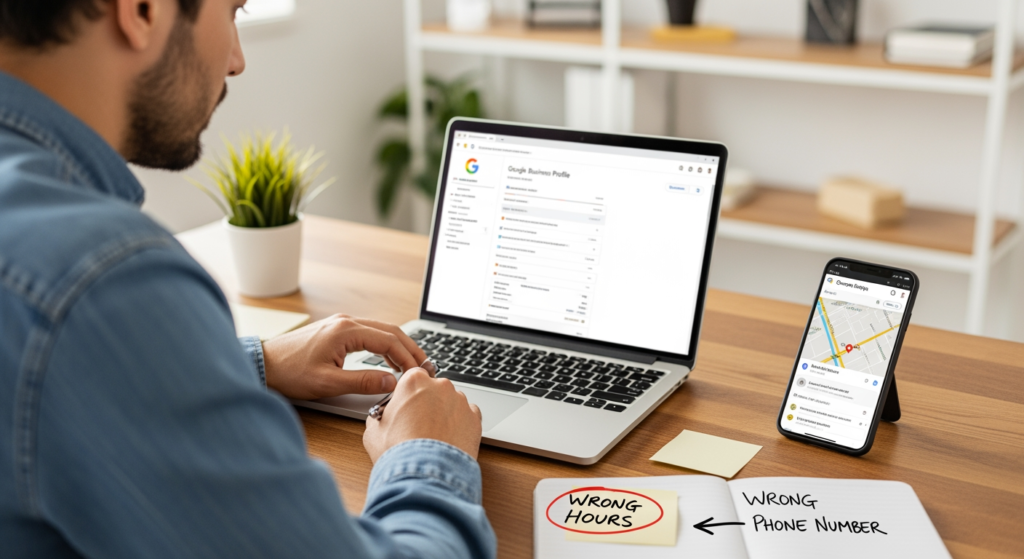
In summer, the decision window often shrinks. People are on phones, in cars, or trying to book something quickly. That means small issues—an outdated phone number, wrong hours, missing service areas, slow pages, thin location content—can become big conversion problems because the customer simply taps the next option.
The Real Cost of Ignoring These Red Flags in Peak Season
- Missed calls and direction requests: Incorrect contact info or hours can send ready-to-buy customers to a competitor.
- Lower map visibility: Inconsistencies across listings can reduce confidence in your business data.
- Wasted marketing spend: If you run promotions but your local presence is messy, you may pay to drive traffic that doesn’t convert.
- Reputation drag: Unanswered reviews (good or bad) can make your business look unattended.
- Operational headaches: Wrong hours and outdated services create confusion for staff and customers alike.
Results in search can vary based on market competition, location, and platform changes, but these issues are consistently worth fixing because they affect customer experience and trust signals.
Red Flags That Signal Your Local SEO Is Leaking Leads
- Mismatch in your business name, address, or phone number (NAP) across directories and your website.
What to do: Pick one “source of truth” version of your NAP and update your website and key listings to match it exactly. - Seasonal hours aren’t updated (holidays, weekends, summer schedule changes).
What to do: Update hours in GBP first, then mirror them on your website contact page and major listings. - Wrong primary category or too many unrelated categories in GBP.
What to do: Choose the closest primary category to your core revenue service, then add only tightly relevant secondary categories. - You’re ranking for the wrong queries (or getting calls for services you don’t offer).
What to do: Re-audit categories, services, and on-page service wording so your signals match what you actually sell. - Review velocity drops off or you have a backlog of unanswered reviews.
What to do: Build a simple review request process (text/email after service) and respond to reviews weekly with consistent, helpful language. - Your website is slow on mobile (especially service pages and contact pages).
What to do: Compress images, reduce heavy scripts, and prioritize fast-loading above-the-fold content on key pages. - No clear location/service-area signals on the site (no service areas mentioned, no embedded map where appropriate, vague contact info).
What to do: Add a clear service area statement, consistent contact details, and location context on relevant pages. - Duplicate or old business listings exist from previous addresses, phone numbers, or name variations.
What to do: Document duplicates and work through suppression/cleanup so platforms don’t get conflicting information. - Calls and form fills aren’t tracked (you only see “traffic,” not outcomes).
What to do: Set up conversion tracking for calls, forms, and direction clicks so you can tie fixes to outcomes.
A Practical Summer Fix List (Do These in Order)
- Confirm your NAP “source of truth” and make your website match it exactly (header/footer/contact page).
- Audit GBP basics: categories, services, hours, service area, description, and photos that reflect what you do now.
- Check your top citations (major directories and industry platforms) for accuracy and duplicates.
- Improve mobile speed on money pages: homepage, service pages, and contact page.
- Create a review routine: request reviews consistently and respond weekly.
- Add “summer-proof” content clarity: highlight seasonal services, availability, and service area coverage without overstuffing keywords.
- Turn on conversion tracking for calls, forms, and key clicks so you can measure what changes help.

From the Field: The Sneakiest Issue Is Usually “Inconsistency”
In practice, we often see businesses doing a lot of things right—good service, decent website, even solid reviews—but losing visibility because their information isn’t consistent across their website, Google Business Profile, and major directories. It’s not glamorous work, but tightening those details tends to remove friction for both search platforms and real customers trying to call, book, or get directions.
When DIY Fixes Aren’t Enough (and You Should Get Help)
- You find duplicates you can’t remove and they keep resurfacing with old addresses or phone numbers.
- Your GBP shows signs of trouble (suspension, verification loops, or edits that won’t stick).
- You’ve updated everything but leads are still down and you can’t pinpoint whether it’s visibility, conversion, or tracking.
- You operate in a competitive market where small differences in authority and trust signals can change who gets the call.
- You have multiple locations and need a scalable system for listings, location pages, and ongoing updates.
Common Questions About Summer Local Visibility
How often should I update my Google Business Profile during busy seasons?
Update it anytime something customer-facing changes (hours, services, phone number, temporary closures). During peak seasons, a quick weekly check for accuracy and new reviews is a practical cadence.
Do inconsistent directory listings really affect map visibility?
They can. Conflicting business details across the web may reduce confidence in your business information, which can contribute to weaker local signals and customer confusion.
What’s the fastest thing to fix if calls suddenly drop?
Start with the basics customers rely on: phone number, hours, primary category, and whether your listing points people to the right page for booking or contact. Then confirm tracking so you’re not diagnosing a reporting issue.
Should I create seasonal service pages for summer offers?
If the service is real and recurring, a dedicated page can help clarify what you offer and improve conversions. If it’s a short promotion, a section on an existing service page may be cleaner and easier to maintain.
Taking Action Before Summer Slips Away
Most lead-killing issues aren’t mysterious—they’re small gaps that add up: inconsistent business info, outdated hours, weak review habits, and a mobile experience that makes customers bounce. Use the warning signs above to identify where trust and relevance are breaking down. Then work the action list in order so you’re fixing the highest-impact items first. If you hit duplicates, verification problems, or you need a clearer plan, it may be time to bring in help.
Ready to Get Started?
Our team is here to help. Give us a call to discuss your needs.
